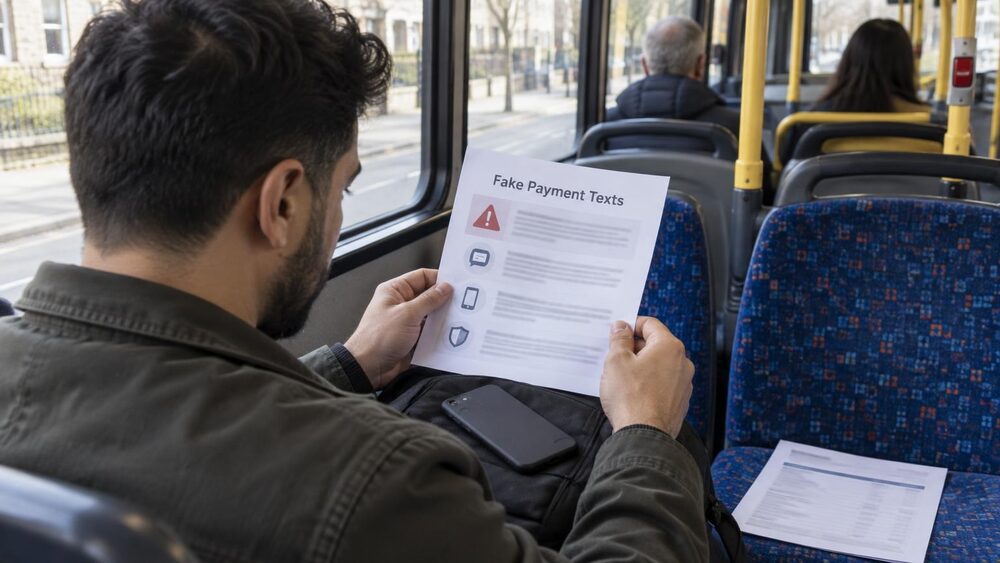
Phishing is what happens when a fraudster impersonates a person or company you might trust, usually through a message containing a link, to trick you into revealing personal or financial information1. The fake message might be an email that looks as though your bank sent it, when it did not2. Phishing emails and smishing, the text message version, are the most common kinds of scams3.
The names sound odd but the idea is simple. Phishing arrives by email, smishing by text message, and vishing by phone call. In every case the fraudster is playing a role: your bank, a government department, a delivery company, a brand you recognise. The goal is the same each time, to get you to hand over a password, account details, card numbers or money itself.
What phishing is: fake messages that pretend to be someone you trust
A phishing email is a fake email designed to look as if it came from a trusted organisation, such as your bank2. The fraudster's method is impersonation: they copy logos, layouts and formal language so the message passes a quick glance. The message typically contains a link, and the link leads somewhere the scammer controls, such as a cloned login page that collects whatever you type into it9.
What makes phishing effective is that it borrows trust the scammer has not earned. A bank spends years building a reputation; a phishing email steals it in seconds. The scammer does not need to break into your account if they can persuade you to open the door yourself, which is why these attacks work at scale. Official research from 2017 estimated that 91% of cyber-attacks start with a phishing email, and that 30% of phishing emails are opened10. Those figures are dated, but the pattern they describe has not changed: the message is the entry point, and the victim's own actions do the rest.
Phishing is not only about banks. The same technique is used to steal identities, to plant malicious software, and to set up larger frauds. The dedicated guides to identity theft and to the wider world of scams and fraud cover what happens next once details are in the wrong hands.
Phishing, vishing and smishing: the three main forms
The three main forms share one method, impersonation, but arrive through different channels. Knowing which one has reached you does not change the underlying trick, but it does change what you can check and how you report it.
| Form | How it arrives | What it looks like |
|---|---|---|
| Phishing | A fake email that appears to come from a legitimate source such as a bank, building society or Amazon, with a link to a fake website that collects your information11 | |
| Smishing | Text message | Scammers claim to be your bank, saying you must update personal details or fix an account problem, with a link or number designed to get your details12 |
| Vishing | Phone call | Scammers pretend to be a bank, building society or government agency and try to get you to reveal passwords or transfer money11 |
Smishing is defined in official guidance as fraudsters obtaining personal details by SMS text message, similar to phishing scams online4. Vishing is simply phishing via a phone call1, and the name is a combination of "voice" and "phishing"5. A rarer variant, whaling, is a targeted phishing attack where a fraudster impersonates a senior member of an organisation and targets other senior colleagues through phishing emails1.
Scam messages are not confined to one channel. They have appeared on most messaging platforms, including SMS, WhatsApp, Facebook Messenger, Viber and Skype13. A single scam can also arrive several ways at once: the TV Licence scam, for example, can come as a text, a phone call, a letter, or most often as a phishing email14. QR codes add another route, sometimes called quishing, where a code printed on a poster, parking sign or letter takes your phone to a fake website15.
Who scammers pretend to be
The cast of characters is predictable, because scammers impersonate organisations that have either your money or your fear. Email scams involve fraudsters sending emails purporting to be from well-known brands to steal personal information and bank details16. Banks are the classic choice, but government bodies feature heavily too, because an official-sounding threat or refund is hard to ignore.
Examples from official warnings and consumer reporting show the range:
- Banks: scammers have posed as Santander, Royal Bank of Scotland (RBS) and HSBC in phishing emails17, and a fake NatWest email was sent from a lookalike domain rather than the bank's real address18.
- HMRC and government: fraudsters have sent emails claiming to be from the Valuation Office Agency, usually offering council tax or business rates refunds19, and HMRC has issued scam warnings to tax credits customers20.
- Student finance: students have been urged to stop and think before they click as student finance payments begin, with scam texts timed to the start of term21.
- Benefits and payments: scam text messages about the Winter Fuel Payment try to trick you out of personal information such as your bank details22.
- Compensation bodies: the Financial Services Compensation Scheme warns that scammers can use a fake caller ID to make it look as though they are calling from FSCS, and it has seen a rise in this sort of scam23.
- Ombudsmen: The Pensions Ombudsman has warned about scams that impersonate it24.
The pattern to notice is that every impersonation involves either money moving (refunds, payments, fines) or account access (logins, verification). A message that combines an official name with one of those two hooks deserves extra scrutiny. The guide to fake HMRC messages covers that department's scams in detail, and how to check your bank is really contacting you covers bank impersonation.
Warning signs in a phishing email or text
Several warning signs recur across phishing emails and smishing texts. Official guidance lists inaccurate spelling and wording, a sense of urgency to act quickly, being asked for bank details or passwords and being told not to tell anyone, and an unfamiliar email address25.
In practice, the signs to check are:
- The greeting: an impersonal greeting such as "Hi" with no name, or your email address after "Hi", is a sign of a likely scammer16.
- The sender's address: a fake NatWest email did not come from an official NatWest address ending @natwest.com, but from a lookalike domain18.
- The presentation: poor spelling and grammar, and inconsistent presentation with several font styles and sizes and a mishmash of logos, are warning signs16. Pixelated images can strongly indicate that an email is a scam16.
- The pressure: a sense of urgency, such as an email telling you to click a link to cancel a payment request you did not make, is a standard device18.
- The link: a text asking you to follow a link to fix a problem with an account or track a parcel leads to a fake website where you are invited to log in26.
The FSCS lists its own red flags for messages claiming to come from it: being asked for money or payment details, an unusual channel such as WhatsApp, a phone number not on the official website, an email address not ending @fscs.org.uk, involvement of an unregulated firm such as a cryptoasset provider, compensation offered in a foreign currency or by a firm in another country, and American spellings or spelling errors23. The same checklist transfers to almost any organisation a scammer might imitate. The wider guide to warning signs collects these across all scam types.
How to spot a fake website
Most phishing messages end at a website, so the website is where the theft usually happens. A safe website's address will start with https, not just http, and should have a padlock icon in the address bar28. The s stands for "secure"9. Official guidance repeats the check: a genuine address bar has a locked padlock symbol, starts with https://, and has no spelling mistakes or strange characters29.
But the padlock has limits, and this is where many people are caught out. The padlock and https mean the connection to the site is encrypted; they do not mean the site belongs to whoever it claims to belong to. A scammer can obtain encryption for a fake site just as easily as a real business can. Reliable websites start with HTTPS, not HTTP30, but so do many fraudulent ones.
That makes the address itself the thing to examine:
- Check the domain carefully. Lookalike domains, such as the one used in the fake NatWest email, are designed to survive a glance18.
- Look up when it was registered. A domain lookup tool such as who.is shows domain name registrations, and a recent registration is a good indication that a site is a scam website31.
- Check the site independently. The ScamAdviser website can help to detect whether scam websites, numbers or bank accounts are legitimate32.
- Preview QR code links. When a QR code is scanned, the address pops up before the site is opened; the address can then be checked against what was expected15.
The guide to fake websites and online shopping scams covers this in more depth, including what to do if you have already paid a fake site.
Vishing: caller ID can be faked
Vishing moves the trick onto the phone. Scammers often use number spoofing, where the caller ID appears genuine, to make the call seem more trustworthy6. The name or number displayed on your phone can be faked by criminals, which is called spoofing33. Scammers can mimic an official telephone number, which can trick you into thinking the caller is from a legitimate organisation such as a bank or utility company26.
This defeats the most common piece of phone safety advice, "check the number on screen". A call can display your bank's real number while coming from somewhere else entirely. The FSCS reports a rise in this sort of scam, with fraudsters using fake caller ID to appear to call from FSCS itself23.
One specific danger follows from spoofing: if you hang up on a suspicious call and immediately dial your bank on the same phone, the scammer may still be holding the line. To avoid this line-hijacking, wait a few minutes before calling back or use a different phone6. The advised waiting period varies: one source says wait at least 15 minutes before calling back, or use another phone if possible2; another says use a different phone or wait at least 10 to 15 minutes5; a third says wait at least 10 to 15 minutes between calls to make sure any scammers have hung up26; and a fourth recommends waiting at least 20 minutes before calling an organisation or company that called you unexpectedly34. The common ground is clear: wait, and use a different phone if you can.
Vishing often feeds into other scams, such as courier fraud, where the caller talks you into handing a card or cash to someone sent to your door. The guide to stopping nuisance calls and scam mail covers reducing the calls in the first place.
What a genuine bank or government body will never ask for
This section is the single most useful test, because there are things no genuine organisation will ever request. Your bank will never ask you for your PIN or your online account password, and neither will any trustworthy online retailer35. Your bank or the police will never ask for your PIN or password, or ask you to transfer funds for fraud reasons34. The government will never ask you for personal or financial information by text22.
Consumer guidance sets out a fuller list of what a bank should never do13:
- Ask for your PIN or internet banking password
- Send someone to your home to collect cards or banking information
- Ask you to email or text personal or banking information
- Email a link where you input internet banking details
- Ask you to authorise an unrequested funds transfer
- Tell you to invest in diamonds, land or other commodities
- Ask you to carry out a test transaction
- Send you to a mobile app other than their own official app
Banks or the police will never ask for your PIN or send someone to your house to pick up your bank card36. When a bank does verify you, it will never ask for your full PIN or password; instead it asks for specific numbers or letters, for example the first and third character37. The FSCS adds that it would never ask you for money25.
Two related rules protect people who have already lost money. Genuine law enforcement agencies will never ask you to pay them to get back the money you have lost38, which is the hallmark of a recovery room scam. And a request to move money to a "safe account" is always a scam, as the guide to safe account scams explains.
How to check a message or call is genuine
The safe response to any unexpected message is the same whatever the channel: do not use the contact details the message gives you, and reach the organisation independently. If an email says there is a problem with your account, log in directly through the website or contact the company another way to check whether the email is legitimate11. For texts, check the phone number linked to the message against the number listed on your bank's website or on your card, and contact your bank directly to confirm the text is genuine11.
For phone calls, the waiting rule from the previous section applies: because of line-hijacking, wait before calling back on the same line, or use a different phone6. The sources give different minimum waits, from 10 to 15 minutes5 to 15 minutes2 to 20 minutes34, so the longer the better, and a different phone removes the risk entirely.
Two habits make this easier. First, save your bank's official phone number somewhere you trust, such as written on the card itself, so you never have to accept a number offered to you. Second, if you bank by phone, the 159 service connects you to your bank safely from a number you can verify. The guide to how to check your bank is really contacting you expands on this, and the national Take Five campaign sums up the habit: stop and think before you act.
Reporting phishing emails, scam texts and fake websites
Reporting does two things: it gets the message or site flagged and taken down, and it builds the national picture of what scams are circulating. The main routes are free and take seconds.
Scam texts: forward them to 7726, which spells SPAM on a keypad. The Bank of England's guidance states it is free7, and the National Crime Agency confirms suspicious texts and scam call numbers can be reported to 7726 free of charge41. Forwarding reports the message to your mobile network8. Do not reply to the text, call the number it came from, or click its links: that only lets the scammers know your number is in use and may lead to more scam messages and calls, and the number has probably been spoofed, so you may be messaging an innocent person whose number was stolen13. The guide to forwarding suspicious texts to 7726 covers this in detail.
Scam emails: forward them to report@phishing.gov.uk8. The National Cyber Security Centre (NCSC) investigates reports and can get scam websites taken down8, and reports to that address have resulted in the removal of over 250,000 scams8.
Fake websites: report them to the NCSC, which can investigate the scam and get it taken down. You will be asked to provide the website address and how you were led to it8.
Specific organisations also run their own reporting addresses:
- HMRC: forward suspicious emails to phishing@hmrc.gov.uk20, and send suspicious text messages to 60599, where network charges apply, before deleting them42.
- PayPal: forward suspicious emails to phishing@paypal.com as well as report@phishing.gov.uk, check requests by logging into your account and selecting Activity, and change your password and security questions if you suspect your account is compromised43.
- Fraud you have paid for: if you have paid money to a scam, report it to Action Fraud44, the UK's fraud reporting service, which passes phishing emails to the National Fraud Intelligence Bureau28.
The full guide to reporting a scam covers England, Wales, Scotland and Northern Ireland, including where to report if you have lost money.
If you have already clicked, replied or given details
Acting fast limits the damage, and the steps are the same in most cases. If you think you have shared sensitive information with a scammer, notify your bank13. If you entered a customer number and password on a fake banking website, you handed them to the scammer, giving them access to your bank account18. A scam phone number in a fake PayPal email was phishing for personal information such as the name, date of birth and bank account details of anyone who called it43.
The order to work through:
- Contact your bank on its official number, or via 159, and tell it exactly what you shared and when13.
- Change the passwords for any account whose details you entered, starting with email, because email is the key that resets everything else43.
- Check for payments you did not make, and report any unrecognised transaction to your bank. The guide to unrecognised transactions covers this.
- Report the scam to Action Fraud if you have lost money44, and forward the message itself as described above.
- Consider protective registration. If you are worried your identity has been stolen, ask about Cifas Protective Registration, which puts a warning flag on your name45.
Two further points protect you after the event. First, if money has left your account, whether you authorised the payment or not changes your refund rights, as the comparison of authorised and unauthorised payments explains, and the guide to first steps for victims sets out what to do straight away. Second, be prepared for follow-up contact: genuine law enforcement agencies will never ask you to pay to get back money you have lost38, so anyone offering to recover your funds for a fee is running the next scam in the chain.
Sources45 cited
- Scams glossary Which?, 2026-07-22
- Dealing with fraud Business Debtline, 2026-09-26
- Top 5 financial scams Financial Services Compensation Scheme, 2019-09-06
- Common types of scams factsheet Scottish Government, 2021-03-18
- Phone scams Which?, 2025-12-22
- Types of scam MoneyHelper, 2026-09-25
- Scams and fraud Bank of England, 2026-06-18
- I'm a scams expert and these are my tips for reporting scams Which?, 2026-06-17
- Online scams: protect yourself Take Five to Stop Fraud, 2026-09-26
- Preventative spend research 2018, page 3 Scottish Government, 2018
- What types of scams and fraud exist Mental Health and Money Advice, 2023-08-16
- Preventative spend research 2018, page 8 Scottish Government, 2018
- How to spot a messaging scam Which?, 2026-06-29
- TV Licence scams Age UK, 2026-04-13
- Quishing scams warning: how to spot and avoid dodgy QR codes Which?, 2025-06-25
- How to spot an email scam Which?, 2026-08-11
- Scam alert: fraudsters exploit new online security checks with phishing attacks Which?, 2019-09-03
- NatWest phishing scam: how to spot a dodgy bank email Which?, 2023-04-12
- Avoid and report internet scams and phishing GOV.UK, 2018-05-17
- HMRC issues scam warning to tax credits customers GOV.UK, 2023-05-30
- Students urged to stop and think before you click as student finance payments begin GOV.UK, 2026-09-01
- Scams advice Independent Age, 2026
- FSCS podcast episode 46 transcript Financial Services Compensation Scheme, 2025
- Protecting yourself from scams that impersonate TPO The Pensions Ombudsman, 2026-04-02
- Scams: what to look for Financial Services Compensation Scheme, 2026-05-05
- Phone scams Age UK, 2026-08-19
- How to spot and avoid AI scams Which?, 2026-08-07
- How to spot, avoid and report scams StepChange, 2026-09-25
- Shop safely online MoneyHelper, 2026-09-25
- Online and text scams nidirect, 2026-07-27
- How to spot a social media scam Which?, 2026-08-07
- Scam-busting tools to know about Which?, 2026-05-07
- Courier fraud: protect yourself Take Five to Stop Fraud, 2026-09-26
- How to avoid a scam Independent Age, 2026-09-26
- Protect your identity nidirect, 2025-10-28
- Scams quiz Independent Age, 2026
- Online banking Age UK, 2026-03-23
- What to do if you've been the victim of a scam Independent Age, 2026-09-26
- What to do if your bank won't refund you after a scam Which?, 2026-05-12
- Dealing with fraud National Debtline, 2026-09-25
- Fraud and economic crime National Crime Agency, 2026-09-26
- Check if a text message you've received from HMRC is genuine GOV.UK, 2026-09-18
- How to spot a PayPal money request email scam Which?, 2023-02-10
- Warning about bailiff email scam GOV.UK, 2021-09-22
- AI scams Age UK, 2026-08-19

 FCA Warning ListCheck whether a firm is authorised before you deal with it
 Financial Ombudsman ServiceFree, independent help when a complaint about a firm is not put right
 Citizens AdviceFree advice on money, consumer and legal problems in England and Wales
 MoneyHelperFree, impartial money and pensions guidance, set up by government