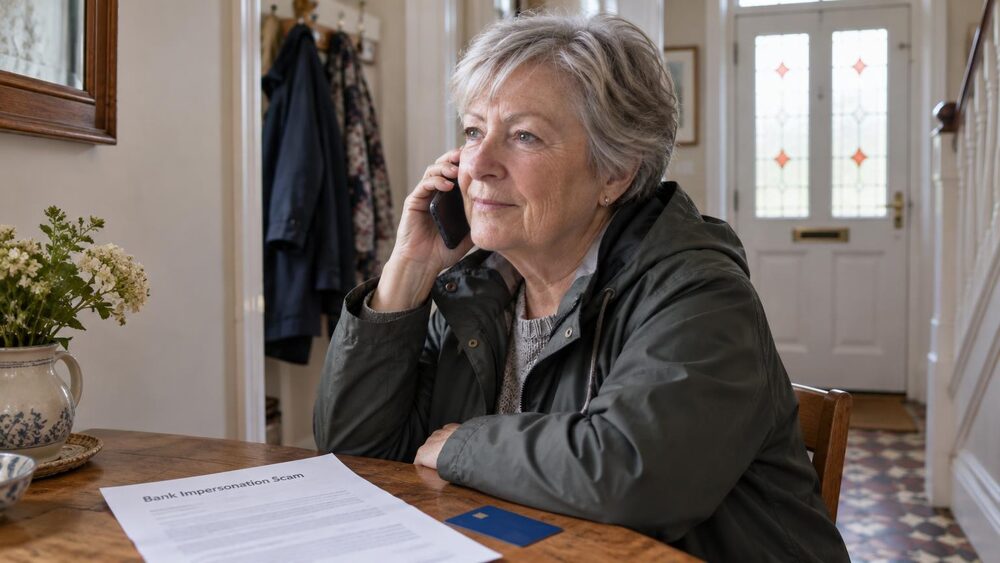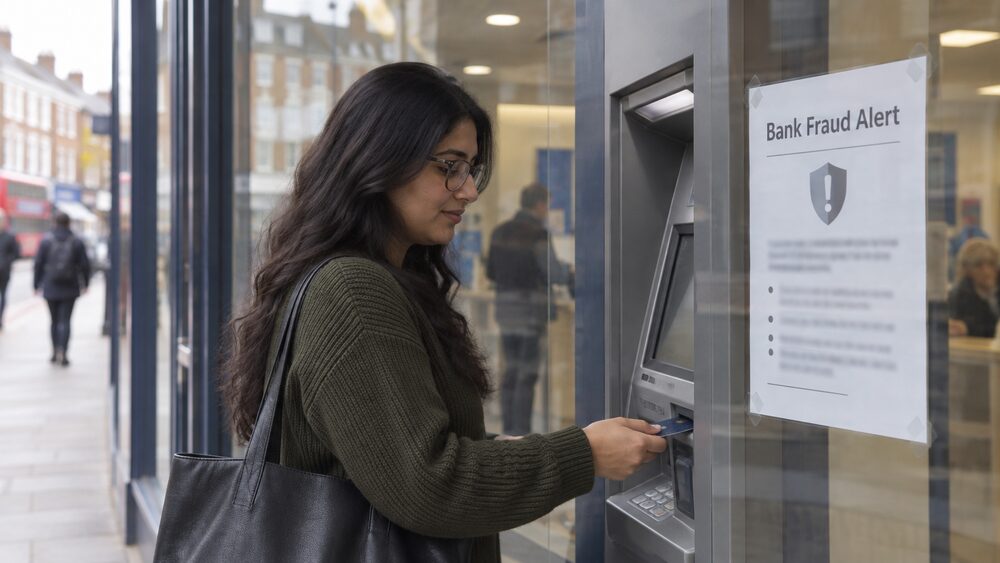
A call, text or email arrives saying it is from your bank. It may even warn you about fraud, which makes it feel more urgent and more believable. The safest response is the same in every case: do not give anything away on the spot, end the contact yourself, and get back in touch with your bank through a route you know is genuine, such as the number printed on your card or the 159 hotline1. If you are worried about your account security, contact your bank directly using the number on your card or by calling 1591.
Banks do make genuine fraud calls, and they do send genuine fraud texts, so you cannot assume every approach is fake. What you can rely on is a set of firm rules about what a real bank will never do. It will never ask for your PIN or your online banking password, never ask you to move money to a "safe account", and never ask you to confirm personal or financial details by text or through a link in a text2. A caller who breaks any of those rules is a fraudster, whatever number appears on your screen.
Fraudsters can also stay on the line after you hang up, so that when you dial what you think is your bank's number, you are still speaking to the same scammer4. That is why the standard advice is to wait at least 15 minutes before calling back on the same phone, or better, use a different phone altogether5. This page explains how to check a contact safely, how genuine fraud alerts work, and what to do if you have already given something away.
Is this call really from my bank? How to check safely
The only reliable way to check a caller is genuine is to end the call and contact your bank yourself. If you receive a call claiming to be from your bank and you are unsure whether it is genuine, call 1592. If your bank is signed up to the 159 service, calling that number will put you through to your bank's genuine customer service line10. You can also use the number printed on the back of your card or the contact details on your bank's own website or app.
Be careful with any number the caller gives you, or that appears in a text or email, because fraudsters copy banks' formats and can make a fake number show on your caller display. More than one spoofed mobile number has been reported calling people while impersonating well-known banks, claiming to be from the bank's fraud department and saying an account has been compromised, all to coax out personal and financial details11. A display showing your bank's name is therefore not proof of anything.
Some banks offer ways to verify a caller during the call itself. If you are with Barclays, you can ask a caller claiming to be from the bank to send a secure notification to your Barclays app, which proves whether they are genuine12. Nationwide offers a Call Checker that lets customers verify whether they are really on the phone with the bank4. These in-app checks are useful, but the general rule stands: if a caller pressures you, refuses to let you check, or tells you to lie to anyone, end the call. If someone asks you to lie to your bank, hang up, as this is a scam13.
Call 159 to reach your bank directly
159 is a dedicated banking scam line. If you think someone is calling to trick you into giving them money or your personal details, hang up and call 1598. The Bank of England's own guidance is the same: if you are unsure about a call from someone who claims to be from your own bank, hang up and dial 159 to reach your bank6. When you call, you will be put through to your bank's genuine customer service line7, and MoneyHelper describes it as connecting you to your bank's fraud department1.
The service works because it is a single, memorable number that you dial yourself. You choose to make the call, so the person you reach is your bank, not whoever rang you. That breaks the fraudster's main advantage, which is being the one who initiated the contact and controls the conversation.
Two practical points are worth knowing. First, not every bank is signed up, so check whether yours takes part10. Second, calls to 159 are usually charged at the national rate, though it depends on your phone provider8. If you cannot use 159, the number on the back of your card or in your banking app does the same job. Age UK gives the same advice for anyone who notices unusual activity on their account: call the centralised number 159, or the phone number on the back of your bank card14. The dedicated page on calling 159 covers the service in more detail.
Hang up and wait 15 minutes, or use another phone
This is the step people most often get wrong, and it matters because of how landlines in particular behave. Research has found that scammers can keep the line open after you hang up, so that when you pick up the phone again and dial, they are still there listening in, or even answering as if they were your bank5. Independent Age describes exactly this trick in its scam scenarios: when you ended the call and dialled the number on the back of the card, the scammer stayed on the line, making you think you had rung the bank when you were actually still talking to the scammer3.
The advice across independent organisations is consistent. Use a different phone to call the company back on a trusted number, or wait for at least 10 to 15 minutes7. Business Debtline and National Debtline both say to wait at least 15 minutes before you call back, or use another phone if possible15. Which? gives the same figure when advising victims of bank transfer scams5, and the same wait is recommended after a suspicious survey call17 and when contacting your bank after a recovery scam call18.
Some sources go further. Independent Age suggests waiting at least 20 minutes before calling an organisation or company that has called you unexpectedly19. Official guidance for Northern Ireland also sets the wait at 20 minutes before calling your bank on a trusted phone number to check it out20. The differences between sources are small and the direction is the same: the longer the wait, or the more genuinely separate the phone used, the greater the protection against a scammer who has kept the line open.
What your bank will never ask for in a call or text
These rules are absolute, and they come from banks, regulators and consumer bodies alike. Your bank will never ask you for your PIN or your online account password, and neither will any trustworthy online retailer21. Banks will not ask you for your account number or PIN when making a genuine fraud call3, and your bank will never ask you to disclose full security and password details, so alarm bells should ring if that happens22.
StepChange sets out the same list from the other direction: your bank will never ask you to tell them your online banking password, authorise a payment, move money into another "safe account", or carry out a "test transaction"23. A request to move money is the clearest red flag of all, because no genuine bank needs you to transfer funds to protect them. If you are asked to do this, you are being targeted by a safe account scam.
The same rules apply to texts and emails. Banks will not ask you to confirm personal or financial information via a text, or via a link from a text3. Official guidance is blunt: you will never be asked for your bank details by text, social media, email or via links to click within a text or email24. UK Finance, the banking industry body, states the same about itself: "We would never call or text anyone, especially not to request payments."25
AIB (NI) puts the rule in terms that apply to every bank: it will never ask you to share passcodes, card reader codes, credit card details or personal or financial details after clicking a link or phoning a number in a text or email9. The same principle extends beyond banks. HM Courts and Tribunals Service states it will never telephone you to ask for your bank details or to make a bank transfer using your sort code and account number26. Any caller or message asking for these things is not genuine, whoever they claim to be.
How genuine bank fraud alerts work: app, text and automated call
Banks really do contact customers about suspected fraud, and it helps to know what that looks like so you can tell it apart from an impersonation. Banking fraud can occur through three channels: internet banking, telephone banking and mobile phone banking in your app27. Genuine alerts therefore arrive through those same channels: a notification in your banking app, an automated phone call, or a text message asking you to confirm a transaction.
A genuine fraud alert is normally narrow and specific. It points to a particular transaction or card payment and asks you to confirm whether it was you. It does not ask for your PIN, your password, a one-time passcode or any card details, and it does not ask you to move money. Take Five, the national anti-fraud campaign, advises people to set up bank alerts in their app so they know when their card has been used28, and to turn on bank alerts and check accounts regularly, contacting the bank immediately about any spending you do not recognise29.
The reason banks push customers toward app alerts is that the app is a channel only you and the bank can see. A fraudster can spoof a phone call or a text, but they cannot put a message inside your genuine banking app. That is also why app-based verification, covered in the next section, has become a trusted way to check a caller.
The distinction to hold on to is simple. A genuine alert gives you information and asks for a yes or no. A scam gives you a story and asks for details, codes or money. If a message does the second thing, it does not matter how well it is dressed up: treat it as a scam and report it.
Checking a caller in your app: Nationwide and Barclays
Two large banks now offer ways to verify a caller during the call, and they are worth knowing about because they turn the app into the judge of whether a call is real.
Nationwide's Call Checker allows its customers to verify whether they are on the phone with the bank during calls4. Rather than trying to decide whether a caller sounds convincing, or whether the number looks right, a member can use the Call Checker to confirm directly whether the person on the line is genuinely from Nationwide. If the check fails, or the caller resists being checked, the call is not genuine.
Barclays works the other way round: if you are with Barclays, you can ask callers claiming to be from the bank to send a secure notification to your Barclays app to make sure they are genuine12. A real Barclays caller can do this; a fraudster cannot, because they have no access to the bank's systems. The request itself becomes a test, and there is no reason a genuine caller would object to it.
These tools are useful, but they are not a substitute for the basic habits. Not every bank offers an in-call check, and fraudsters will try to move the conversation along before you have time to use one. The warning signs of a scam still apply, and hanging up and calling back on 159 or the number on your card remains the universal check that works with every bank signed up to the service.
AIB (NI) fraud texts: reply 1 or 9 within eight hours
AIB (NI) operates a text alert scheme that shows what a genuine bank fraud text looks like in practice. To help prevent fraud, the bank sends a text message if it needs you to confirm a card transaction9. The text asks you to reply with "1" if the transaction was yours, or "9" if you do not recognise it9. For any reply other than 1 or 9, the bank may send another text asking the same question9.
There is a time limit attached. If you do not respond within eight hours of receiving the original text, the bank may send another message, and a hold may be placed on the card so that it cannot be used9. That is a fraud prevention measure, not a punishment, but it explains why an unanswered text can leave you with a card that suddenly stops working.
The texts come from specific numbers, which the bank publishes so customers can recognise them. From 28 September, debit card texts come from +44 7897 025515 for UK customers, with +353 86 180 3367 used where the customer has a Republic of Ireland address and mobile number. Personal credit card texts come from +44 7480 533591, and commercial credit card texts from +44 7700 174510 for UK numbers, with +353 86 180 0846 for Republic of Ireland numbers9.
| Card type | UK number | Republic of Ireland number |
|---|---|---|
| Debit cards | +44 7897 025515 (from 28 September) | +353 86 180 3367 |
| Personal credit cards | +44 7480 533591 | not stated |
| Commercial credit cards | +44 7700 174510 | +353 86 180 0846 |
AIB (NI) states that you cannot opt out of these alerts, and that no registration is needed: if the bank holds a mobile number for you, it may send you a text automatically whenever necessary9. Replying costs whatever your mobile operator charges for sending a normal text9. The bank also repeats the core rule: it will never ask you to share passcodes, card reader codes, or personal or financial details after clicking a link or phoning a number in a text or email9. A text that does any of those things is not from the bank, whatever number it appears to come from.
When a real alert blocks your card, and how to unblock it
Sometimes the fraud protection itself is what you notice first: a card stops working, or a payment is declined, because the bank has acted on a suspicion. The Financial Ombudsman Service handles complaints from people whose bank or building society has frozen their account or blocked a payment, and it lists the common reasons: unusual or suspicious activity on the current account, or doubts about whether the customer had authorised a payment or other activity30.
If your card is blocked following a fraud alert, the way to resolve it is to contact the bank through a trusted route and confirm whether the flagged activity was yours. With the AIB (NI) scheme, that confirmation is built into the text itself: reply 1 to confirm a transaction, and the hold is lifted; fail to reply within eight hours and the hold may stay on the card9. In other cases a call to the bank, or a message through your app, does the same thing.
Two cautions apply. First, fraudsters exploit exactly this situation. The Financial Ombudsman Service has heard from people who were scammed by fraudsters who used a bank outage to trick them into sharing their bank details, for example pretending to call from the bank and offering to help31. A caller who says your card is blocked and offers to fix it is describing a real scenario, which is what makes the approach convincing. Second, if you see spending you do not recognise, contact your bank immediately29, and follow the steps for an unrecognised transaction rather than assuming the bank has it in hand.
If the bank will not unblock the card or release a payment and you believe it is wrong, you can complain to the bank and then to the Financial Ombudsman Service, which looks at frozen accounts and blocked payments30.
How to report a suspicious call, text or email
Reporting serves two purposes: it gets the message investigated, and it helps protect other people. The routes differ slightly across the UK, so it is worth knowing which applies to you.
In England, Wales and Northern Ireland, suspicious calls can be reported to Report Fraud on 0300 123 2040, or through its online fraud reporting tool32. Official guidance for Northern Ireland also asks people to report suspicious emails or text messages asking for bank details online to Report Fraud or by phone on 0300 123 2040, and to tell the local Jobs and Benefits office33. UK Finance gives the same basic instruction for anyone who has been scammed: contact your bank immediately and report it to Action Fraud25, and NS&I's security advice is the same, to contact your bank immediately if you think you have fallen for a scam and report it to Action Fraud34.
Specific types of message have their own routes. Suspicious text messages claiming to be from HMRC can be forwarded to 60599, charged at your network rate35. Fake delivery texts, one of the most common scams, aim to trick you into handing over personal information such as your name, phone number and address, and to steal banking details such as card numbers and which bank you use36; if you have lost money after following a link in a fake text, contact your bank36. You can also forward suspicious texts to 7726, as covered in the guide to forwarding suspicious texts to 7726, and the full reporting routes for each nation are on the reporting a scam page.
If you have already given details or money to a caller
Act quickly, but act safely. If you are worried you have given your payment details or money to a scammer, contact your bank or payment provider as soon as possible and explain what has happened35. The Payment Systems Regulator's advice is the same: as soon as you realise you have fallen victim to a scam, immediately contact your bank to report it37. If the scammer called you on the phone you are about to use, wait at least 15 minutes or use a different phone first5.
Use a trusted route to make that call: the number on the back of your card, your banking app, or 159. Do not use a number given to you by the caller13. The Payment Systems Regulator also advises people contacted out of the blue by someone claiming to be from a bank or a regulator to hang up and contact the organisation directly using publicly listed contact details, and not to be pressured into sending money38.
If money has left your account, ask the bank about a refund. How bank transfer refunds work is covered in the guide to authorised push payment reimbursement, and the steps to take immediately are on the first steps for victims page. If the bank refuses, you can complain, and Which? provides a template letter asking the bank to credit the disputed sum back and confirm it has done so39. A refused refund can be taken to the Financial Ombudsman Service.
Sources39 cited
- Types of scam MoneyHelper, 2026-09-25
- Dealing with fraud (England and Wales) National Debtline, 2026-09-25
- Scams quiz Independent Age, 2026
- 3 phone scams to watch out for right now Which?, 2026-01-14
- What to do if your bank won't refund you after a scam Which?, 2026-05-12
- Scams and fraud Bank of England, 2026-06-18
- Phone scams: consumer advice Which?, 2025-12-22
- Banking security and fraud (Scotland) Citizens Advice Scotland, 2021-03-18
- Text alert FAQs AIB (NI), 2026
- Dealing with fraud (Scotland) National Debtline, 2026-09-25
- 5 phone scams to know about right now Which?, 2025-07-16
- Santander's new app blur feature: how it could save you from scammers Which?, 2025-08-28
- Courier fraud Take Five to Stop Fraud, 2026-09-26
- Support for scam victims Age UK, 2026-04-13
- Dealing with fraud (Scotland) Business Debtline, 2026-09-26
- Dealing with fraud (England and Wales) Business Debtline, 2026-09-26
- Beware of survey phone scams Which?, 2026-02-05
- What is a recovery scam and why should you know about them Which?, 2026-09-10
- How to avoid a scam Independent Age, 2026-09-26
- Phone scams and cold calls nidirect, 2021-07-02
- Protect your identity nidirect, 2025-10-28
- Top 5 financial scams FSCS, 2019-09-06
- How to spot, avoid and report scams StepChange, 2026-09-25
- Check your State Pension age nidirect, 2026-09-01
- Fraud and scams UK Finance, 2026
- Guidance on HMCTS related suspicious phone calls, emails and text messages GOV.UK, 2026-09-17
- Banking fraud Take Five to Stop Fraud, 2026-09-26
- Digital wallet fraud Take Five to Stop Fraud, 2026-09-26
- Type don't tap Take Five to Stop Fraud, 2026-09-26
- Frozen accounts and blocked payments Financial Ombudsman Service, 2026-09-25
- IT problems at banks Financial Ombudsman Service, 2026-09-25
- Staying safe from scammers GOV.UK, 2024-06-17
- Online and text scams nidirect, 2026-07-27
- Our online security promise NS&I, 2024-02-05
- How to spot HMRC phone, text and email tax scams Which?, 2026-01-19
- Delivery text scams: how to spot this common scam Which?, 2024-12-04
- If you've fallen victim to a scam Payment Systems Regulator, 2026-09-25
- Warning: fraudsters posing as PSR employees Payment Systems Regulator, 2026-09-26
- Letter to your bank if you have been the victim of a phishing scam Which?, 2025-06-18


 FCA Warning ListCheck whether a firm is authorised before you deal with it
 Financial Ombudsman ServiceFree, independent help when a complaint about a firm is not put right
 Citizens AdviceFree advice on money, consumer and legal problems in England and Wales
 MoneyHelperFree, impartial money and pensions guidance, set up by government