You can withdraw open banking consent at any time, and you do not need the app's agreement to do it. The Information Commissioner's Office is clear that where an organisation relies on consent, it must make you aware that you can take away your consent at any time1. In practice there are two routes: withdraw it inside the app or website you gave it to, or tell your bank to stop sharing your data with that firm2.
You can withdraw open banking consent at any time, and you do not need the app's agreement to do it. The Information Commissioner's Office is clear that where an organisation relies on consent, it must make you aware that you can take away your consent at any time1. In practice there are two routes: withdraw it inside the app or website you gave it to, or tell your bank to stop sharing your data with that firm2.
Both routes are legitimate and you can use either. Participating banks and building societies should give you an authorisation dashboard showing which providers have permission to see your account data, and you can withdraw permissions there whenever you wish, at the press of a button3. The names differ from bank to bank, which is the main thing that trips people up.
What changes when you withdraw is narrower than people expect. The bank stops sending new data, but information already shared while permission was live may still be held by the third party4. Payments are a separate question from data access, and cancelling one does not always cancel the other.
Two ways to cancel: through the app or through your bank
The first route is the firm you gave permission to. Open Banking sets out that a person can opt out through the website or the app which they originally gave permission to access their details, or instruct their bank or building society to stop sharing their data with a particular firm2. Triodos states the same position from the bank's side: to withdraw consent, the third party provider is contacted, and it can also be done by logging into internet banking and going to 'Account Profile' and then 'Open Banking Consents'6.
The second route is your own bank. You can instruct your bank or building society to stop sharing your data with a particular firm2. Retailcure's consumer explanation sets out both options side by side: go to the regulated app or website and withdraw your consent directly with them, or contact your bank or building society to let them know you no longer want the app or website to have access7.
Some providers run a self-service switch. Hoare Bank says you can revoke access by deselecting the relevant consent in the 'Active' list in the Open Banking menu, and that it can also be revoked via the third party provider's website where you initiated consent8. Chorley Building Society's consents.online service says you can opt out of open banking services at any time through the consents.online website or directly through your bank or building society9.
If you are worried about your account security rather than simply tidying up permissions, MoneyHelper's guidance is to contact your bank directly using the number on your card or by calling 15910. That is the safer route when something feels wrong, because it puts the bank on notice rather than relying on a third party to act.
Withdrawing consent in the third-party app or website
Third party providers need your explicit permission before they access your data through open application programming interfaces, so the permission record sits with them as well as with your bank3. That means the app or website you signed up to should have its own way to withdraw, usually in account settings or a connected accounts area.
Withdrawing there is the most direct route, because it tells the firm holding your data that the basis for holding it has gone. The Information Commissioner's Office explains the consequence: if you previously consented to an organisation using your personal information and now want to withdraw that consent, the organisation must stop using it, and you do not need to submit a separate right to object request11.
There is a further step available. The right to erasure applies where you initially consented to the organisation using your data but have now withdrawn your consent12. That is a request to delete data already held, which is a different thing from switching off future sharing, and it is worth knowing the two exist separately.
If the app is unresponsive or you cannot find the setting, the bank route remains open, and it does not depend on the app cooperating.
Cancelling through your bank's online banking or mobile app
Bank controls are usually the quickest to find once you know the label. Ulster Bank and Royal Bank of Scotland both say you will be able to check or change your consents via your online banking or mobile app13. first direct says you can log on to either its mobile app or online banking, select 'Open Banking' and cancel access from the relevant third party provider15.
Barclays says you can view or cancel your connections at any time in the 'Open banking connections' section of Online Banking or the Barclays app4. HSBC UK adds a wrinkle: you can only add and manage open banking accounts using the HSBC UK Mobile Banking app, though online banking can review and manage permissions for third parties16.
Zempler Bank sets out the same two-route structure: to withdraw your consent at any time you can either do this via the third party provider or by logging in to online banking and going to Settings, then Manage Sharing Permissions17. Its security page repeats the wording, which suggests the setting is stable rather than buried in a menu that moves18.
Examples from the high street: Barclays and Lloyds
Barclays and Lloyds are useful examples because both publish the exact menu path, and the two differ enough to show why you cannot assume the setting is in the same place everywhere.
At Barclays, the app route is 'Settings' and then 'Third-party permissions'20. There is also a 'Manage open banking connections' section in the Barclays app and in Online Banking, where connections can be viewed or cancelled at any time4. Barclays states that you always need to give it explicit permission in Online Banking or the Barclays app before any data or payment information is shared4.
At Lloyds, you can withdraw your consent and stop sharing data at any time from the connected accounts dashboard in the mobile app21. Connecting accounts in the first place runs through the 'Everyday' or 'Borrow' page, or 'Add your accounts' on the Home screen in earlier versions of the app21.
Lloyds also shows how a data permission and a payment arrangement can behave differently. Its subscription payments service works the other way round from open banking consent: once you have asked Lloyds to cancel a subscription, you cannot stop the process in the app, and you need to contact the bank instead22. That is the opposite of the open banking dashboard, where you are in control throughout.
| Bank | Where the control sits | What it does |
|---|---|---|
| Barclays | 'Settings', then 'Third-party permissions'; also 'Manage open banking connections' in app and Online Banking20 | View or cancel connections at any time4 |
| Lloyds | Connected accounts dashboard in the mobile app21 | Withdraw consent and stop sharing data at any time21 |
| first direct | 'Open Banking' in the app or online banking15 | Cancel access from the relevant third party provider15 |
| HSBC UK | Mobile Banking app for adding and managing; online banking for reviewing permissions16 | Manage open banking accounts in the app only16 |
| TSB | Internet Banking, 'Your account tools', then 'Manage your account data sharing'23 | Click 'Stop sharing' and data is instantly withdrawn23 |
| Triodos | 'Account Profile', then 'Open Banking Consents'6 | Withdraw consent, or contact the third party provider6 |
What stops once consent is withdrawn
The data flow stops. Barclays states that if you decide to stop sharing data, it will not send any more data to the third party provider, though the data it shared while you did share may still be stored by that third party4. TSB puts it more bluntly: click 'Stop sharing', and your data will be instantly withdrawn23.
Payments are governed by their own rules. Under the Payment Services Regulations, the payer may withdraw consent to a payment transaction at any time before the point at which the payment order can no longer be revoked24. That is a time limit, not an absolute right, and it is why cancelling a payment arrangement after the money has moved is a different exercise from switching off data access.
For continuous payment authorities on credit or debit cards, the position is stronger: your bank or card provider must cancel the payment authority once you ask26. Business Debtline makes the same point for buy now pay later style arrangements, saying you have the right to cancel directly with your card issuer, and once you have done this it must stop payments immediately27.
If a payment has already gone through without your permission, the bank may be able to cancel the payment or put the money back into your account28. Which.co.uk notes that for unauthorised payments initiated through a third party provider, your bank must refund you immediately unless it has grounds to suspect fraud or negligence, and if the third party was at fault the bank can recover the funds from them3.
Checking which apps currently have access
The authorisation dashboard is the tool for this. Participating banks and building societies should provide one, listing the providers with permission to access your account data, and you can withdraw permissions there whenever you wish3. If your bank does not appear to have one, the consent records still exist and staff can act on your instruction.
Consents do not necessarily last forever on their own. Al Rayan Bank states that consents expire after 90 days and need to be renewed if they are to continue beyond that5. That is a useful backstop: an app that has been forgotten about may lose access without anything being done, though it is not something to rely on.
Two practical cautions. Age UK warns that there are a lot of fake banking apps available to download, so it is worth checking that you are downloading the bank or building society's genuine app via their website31. And Take Five's advice is to turn on your bank alerts and check your accounts regularly, contacting your bank immediately if you see spending you do not recognise32.
If you want to see everything a firm holds about you, a subject access request under data protection law is a separate route from the open banking dashboard, and the right to erasure applies where you consented and have since withdrawn12.
Where to get help if a firm will not act
Start with the firm. If the app will not remove your permission and your bank will not act on your instruction, put the request in writing so there is a record. The Financial Ombudsman Service handles complaints about banking and payments, including blocked payments and frozen accounts30.
For payments specifically, the ombudsman's guidance on regular payments covers standing orders, which can be changed or cancelled at any time by contacting the bank33. Direct Debits work differently: one can be cancelled at any time by simply contacting the bank or building society, though written confirmation may be required, and the payee company is also notified34. The Consumer Council in Northern Ireland covers safer ways to pay for consumers there35.
If a firm has stopped responding, our guide to writing an effective complaint letter or email sets out how to put the complaint together, and free consumer advice when a dispute with a firm stalls explains where to go next. If the problem is a payment an app set up rather than data access, Direct Debit or continuous payment authority: control and refund rights compares the two, and Variable recurring payments compared with Direct Debits covers the newer open banking payment type, which can be cancelled via a banking app or online bank account at any time36.
Sources36 cited
- Does an organisation need my consent? Information Commissioner's Office, 2026-09-26
- Open banking: sharing your financial data Which?, 2026-03-06
- Open banking Barclays, 2026
- Mobile banking app terms and conditions Barclays, 2023-11
- Open banking Al Rayan Bank, 2026
- Open banking Triodos Bank, 2026-09-26
- Open banking explained Retailcure, 2023-10-27
- Open banking Hoare Bank, 2026
- Open banking Chorley Building Society, 2026-09-26
- Types of scam MoneyHelper, 2026-09-25
- The right to object to the use of your information Information Commissioner's Office, 2026-07-23
- Your right to get your data deleted Information Commissioner's Office, 2026-09-26
- Open banking Ulster Bank, 2026-09-25
- Open banking Royal Bank of Scotland, 2026-09-26
- Open banking first direct, 2026
- Open banking HSBC UK, 2026
- How open banking works Zempler Bank, 2026-09-26
- Keeping your account secure Zempler Bank, 2026-09-26
- Switching your personal current account Zempler Bank, 2026-09-25
- Open banking Lloyds Bank, 2026-09-27
- Subscription payments Lloyds Bank, 2026-09-27
- What is open banking? TSB, 2026
- Authorisation of payment transactions legislation.gov.uk, 2026
- The Payment Services Regulations 2017, Part 7 legislation.gov.uk, 2026
- Other problems Isle of Anglesey County Council, 2025-10
- Buy now pay later Business Debtline, 2026-09-26
- Your payment card was used without your permission: distance sales Citizens Advice, 2026-09-25
- Your payment card was used without your permission: distance sales (Scotland) Citizens Advice Scotland, 2026-09-28
- Frozen accounts and blocked payments Financial Ombudsman Service, 2026-09-25
- Online banking Age UK, 2026-03-23
- Type, don't tap Take Five, 2026-09-26
- Regular payments Financial Ombudsman Service, 2026-09-26
- Direct Debits and standing orders explained Which?, 2026-03-05
- Safer ways to pay Consumer Council for Northern Ireland, 2026
- Open banking FAQs 118 118 Money, 2026
- Open banking FBN Bank, 2026-06-10




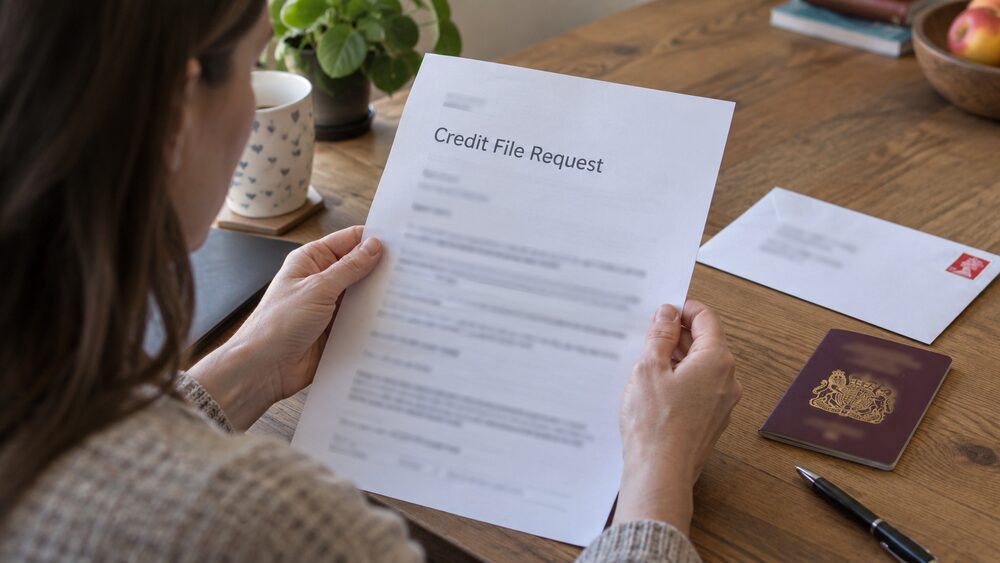
 Citizens AdviceFree advice on money, consumer and legal problems in England and Wales
 MoneyHelperFree, impartial money and pensions guidance, set up by government
 Financial Ombudsman ServiceFree, independent help when a complaint about a firm is not put right
 GOV.UKOfficial information on tax, benefits and government services
 StepChangeFree debt advice and solutions from a charity