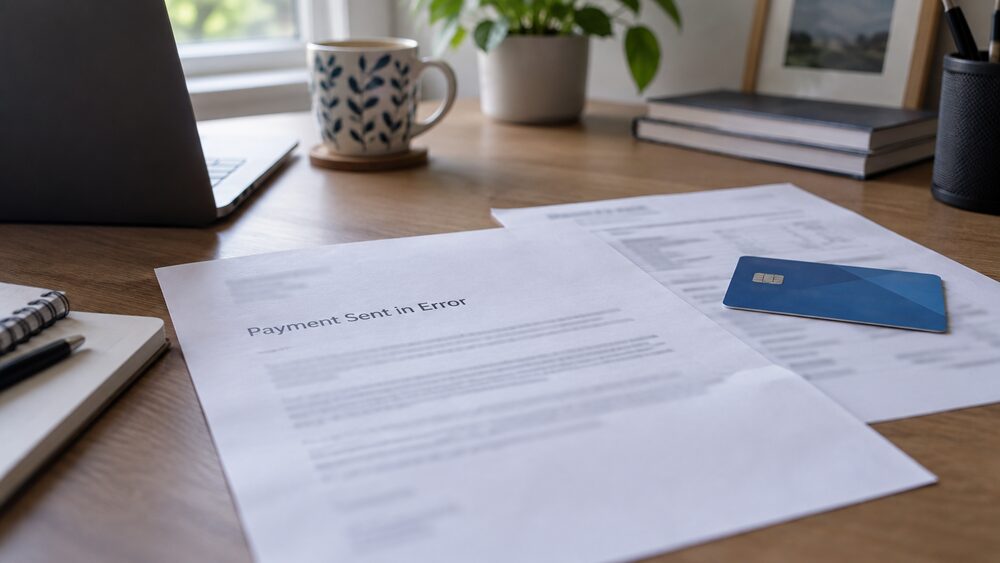
A misdirected payment is money sent to the wrong bank account. The first thing to know is how little time you have: money sent by Faster Payments through online or app banking reaches the recipient's account within 2 hours, and sometimes immediately1. Transfers through banking apps usually arrive within seconds, and in most cases funds arrive in the recipient's bank account within seconds, though they may occasionally take up to 2 hours2.
A misdirected payment is money sent to the wrong bank account. The first thing to know is how little time you have: money sent by Faster Payments through online or app banking reaches the recipient's account within 2 hours, and sometimes immediately1. Transfers through banking apps usually arrive within seconds, and in most cases funds arrive in the recipient's bank account within seconds, though they may occasionally take up to 2 hours2.
That speed is why the recovery process is different from a card problem. There is no routine way to pull a completed Faster Payment back. If the account you sent money to does not exist, the payment should fail and the money should automatically bounce back to you2. If the account does exist, you will need to contact your bank to request your money back2, and whether it comes back depends on the person who received it agreeing to return it.
Before any of that happens, your bank should have shown you a name check. Confirmation of Payee is the name checking service designed to help prevent APP scams and misdirected payments4, and it has been part of UK payments since 20202. It warns you when a name does not match. It does not stop the payment.
Faster Payments arrive in minutes, so act straight away
The window to fix a mistake is measured in minutes, not days. Money sent using Faster Payments through online banking on a smartphone app will reach the recipient's account within 2 hours, and sometimes it is received immediately1. One bank describes the same process as near-immediate, with funds arriving within seconds in most cases and occasionally taking up to 2 hours3.
This matters because the majority of authorised push payment fraud is enacted with a Faster Payment7, and 98% of this fraud takes place over the Faster Payments System, the UK's real-time payments system that allows for near-instant transfers8. The same rails that make a legitimate payment convenient make a mistaken one hard to retrieve.
The practical sequence is short. Contact your bank to request your money back2. If the account does not exist, the payment should fail and the money should automatically bounce back to you2. If it does exist, your bank can ask the receiving bank to contact its customer, but it cannot force the money out of an account that was correctly identified by the details you gave.
Confirmation of Payee: the name check before you pay
Confirmation of Payee works by checking whether the name of the account that a payer is sending money to matches the name they have entered, with alerts notifying the payer when there has not been a match9. Banks use the service to check if the name and account type, such as personal or business, that you enter when setting up a new payee matches the details registered with the bank receiving the money2.
It is a large-scale system. There are now more than one million Confirmation of Payee requests every day10. The service was built in stages: payment service providers had to be capable of receiving and responding to Confirmation of Payee requests from other payment service providers by 1 April 2019, and of sending requests and presenting responses to their customers by 1 July 201911. Since then, a number of non-directed providers have voluntarily joined, so that there are now a total of 33 providers offering the service12.
The check is designed to catch the moment before a mistake becomes permanent. If the details do not match up, a warning is provided before you make the payment2. What it cannot do is verify that the person you think you are paying is who you believe them to be: it confirms a name against an account, not an intention.
Match, close match or no match: what each result means
Alerts notify the payer whether there has been a match, a close match, or no match, meaning corrections can be made before the payment is sent4. Some banks describe four outcomes rather than three: a match, no match, a close match, and unable to check the account13. Another lists four matching scenarios as match, close match, no match and account not found14.
| Result | What it means | What you can do |
|---|---|---|
| Match | The name you entered matches the name registered on the account | Nothing further is needed |
| Close match | The name on the account is not an exact match; it could be an abbreviated name or a spelling mistake15 | You are shown the name on the account you are paying to help you decide whether it is the right person16 |
| No match | The name and account details do not match | A warning is provided before you make the payment2 |
| Unable to check | The receiving bank does not use the service, or the account cannot be checked | You decide whether to go ahead17 |
A close match is the result people most often misread. The details you entered closely match those confirmed by the receiving bank, and this happens if either the name you have given is slightly different from the name on the account, or if the account type is incorrect18. A middle initial, a maiden name, a trading name instead of a registered one, or a personal account chosen when the payee holds a business account will all produce a close match rather than a clean one.
A no match is the result that should stop you. If you make a payment using the wrong details, it may not reach the correct account and the bank may not be able to recover the money19.
Where Confirmation of Payee does not apply
The service covers accounts which allow consumers to transfer funds in and out, such as current accounts and e-money accounts; mortgage and credit card accounts are excluded20. BACS payments, including direct debits, are not included21.
There are also gaps on the receiving side. If you try to set up a new payment to an account with a bank that does not use Confirmation of Payee, your bank will let you know that it cannot check the account name, and you can then decide whether to go ahead with the payment or not17. If you try to pay an individual or business who banks with a provider that does not support Confirmation of Payee, it will not be possible for your bank to check that the account details are correct22.
Three specific situations produce a name that cannot be identified: the person you are trying to pay has only opened the account within the last 48 hours; the recipient's building society or bank does not use Confirmation of Payee; or the person may have chosen to opt out of Confirmation of Payee23. You are automatically opted in to Confirmation of Payee to help protect you from fraud and to prevent payments going to the wrong account24. If you do opt out, you can still use the service when sending payments, but your own account will not be checked when others pay you, and payers will get a message that your details cannot be checked19. If you opt out and then change your mind, you can call your bank to opt back in25.
Mistaken payment or scam: which protections cover you
These are two different problems with two different routes, and mixing them up costs people money.
A misdirected payment is a mistake: you sent money to the wrong bank account2. The route is your bank, a request for return, and the cooperation of the recipient. There is no statutory refund for a payment you authorised and sent to a real account using details you chose.
An authorised push payment scam is different. You were tricked into authorising the payment. The reimbursement rules cover transfers where you made a transfer as part of a scam on or after 7 October 2024, made the transfer to another UK account, and told the bank or payment service provider no more than 13 months after the last payment5. The rules apply to payments made within the UK, and you are not covered for a payment sent overseas26. Payments sent to or from accounts outside the UK are not covered6.
If you are worried you have given your payment details or money to a scammer, contact your bank or payment provider as soon as possible and explain what has happened27. Where a bank has frozen an account or blocked a payment, the Financial Ombudsman Service sees complaints about unusual or suspicious activity on the current account, or doubts about whether the customer had authorised a payment or other activity28.
What name to enter, and how to check before you send
For an individual, ask for their first or main name and their last name. For a business, use the business name or trading name registered to their account29. Entering the name you know a company by, rather than the name on its account, is a common cause of a close match.
Some payments deserve a second check regardless of what the screen says. Confirm payment details, or changes to payment details, in person or over the phone on a trusted number31. This matters most where a large sum is moving and the instructions arrive by email, which is the pattern behind conveyancing scams.
If you are paying a business and something looks wrong, deal with the business directly. The DVLA, for example, asks people to return a refund cheque if it is in the wrong name and tell them the right name32. The same principle applies to any organisation: correct the record with them rather than sending money to a name that does not match.
If the money has gone: what to do, in order
- Contact your bank immediately and ask it to request the money back2.
- If the account does not exist, expect the payment to fail and bounce back automatically2.
- If the account exists, your bank will approach the receiving bank, which will contact its customer.
- If you were tricked rather than mistaken, say so clearly: the reimbursement rules cover transfers made as part of a scam on or after 7 October 2024, to another UK account, reported within 13 months5.
- If the bank's response is unsatisfactory, take the complaint to the Financial Ombudsman Service28.
Keep the evidence: the payment confirmation, the messages or emails that led to the payment, and the dates. The 13-month reporting window runs from the last payment, not the first5.
Where the protection stops
Confirmation of Payee is a warning system, not a guarantee. It cannot check an account at a bank that does not use the service22, it cannot check an account opened within the last 48 hours23, and it cannot check an account whose holder has opted out23. It also does not cover BACS payments or direct debits21.
The reimbursement rules have their own edges. They apply to UK bank transfers, so an international payment is outside them33, and payments sent to or from accounts outside the UK are not covered6. They cover payments made as part of a scam, not a payment you simply sent to the wrong sort code by accident.
For a genuine mistake, the outcome rests on the recipient. If they agree to return the money, the bank can arrange it. If they do not, the money is in their account and the dispute is between you and them, not between you and your bank.
If you are struggling with the consequences of a payment that has gone wrong, free and impartial help is available from MoneyHelper and from debt advice charities. If your complaint is about how your bank handled the payment, the Financial Ombudsman Service is free to use28.
Sources33 cited
- Online money transfers Age UK
- How do I get money back that I've sent to the wrong account Which?
- What is Faster Payments HSBC UK
- Confirmation of Payee Payment Systems Regulator
- Scams you've been tricked into making a payment Financial Ombudsman Service, 2026-09-27
- Authorised push payment scam first direct, 2026
- Fighting authorised push payment fraud: a new reimbursement requirement Payment Systems Regulator, 2026-09-26
- The Payment Services (Amendment) Regulations 2024 explanatory memorandum legislation.gov.uk, 2024
- Confirmation of Payee: response to the first consultation Payment Systems Regulator, 2026-09-26
- Confirmation of Payee Phase 2 consultation response Payment Systems Regulator, 2026-09-26
- General directions for the implementation of Confirmation of Payee Payment Systems Regulator, 2026-09-26
- Confirmation of Payee requirements for further participation Payment Systems Regulator, 2026-09-26
- Confirmation of Payee Handelsbanken, 2026
- Fraud types Gatehouse Bank, 2026-09-26
- Confirmation of Payee service Cambridge Building Society, 2026-09-26
- Confirmation of Payee Nationwide, 2026
- Name checks Bank of Scotland, 2026-09-27
- Confirmation of Payee Coventry Building Society, 2026
- Confirmation of Payee AIB (NI), 2026
- Extending Confirmation of Payee coverage Payment Systems Regulator, 2022-10
- Confirmation of Payee deadline: how will it affect your online banking Which?, 2020-06-30
- Confirmation of Payee QIB UK, 2026-09-25
- Confirmation of Payee explained Bath Building Society, 2026-09-18
- Confirmation of Payee Hampden & Co, 2026
- Confirmation of Payee FAQs Arbuthnot Latham, 2026
- App guide Take Five To Stop Fraud, 2026-09-26
- How to spot HMRC phone, text and email tax scams Which?, 2026-01-19
- Frozen accounts and blocked payments Financial Ombudsman Service, 2026-09-25
- Name checks Halifax, 2026-09-27
- Name checks Lloyds Bank, 2026-09-27
- Conveyancing scams Take Five To Stop Fraud, 2026-09-26
- Vehicle tax refund GOV.UK, 2026-09-25
- What to do if you're the victim of a bank transfer (APP) scam Which?, 2026-05-12






 MoneyHelperFree, impartial money and pensions guidance, set up by government
 FSCSProtects your money if a bank, insurer or investment firm fails
 Financial Ombudsman ServiceFree, independent help when a complaint about a firm is not put right
 Citizens AdviceFree advice on money, consumer and legal problems in England and Wales