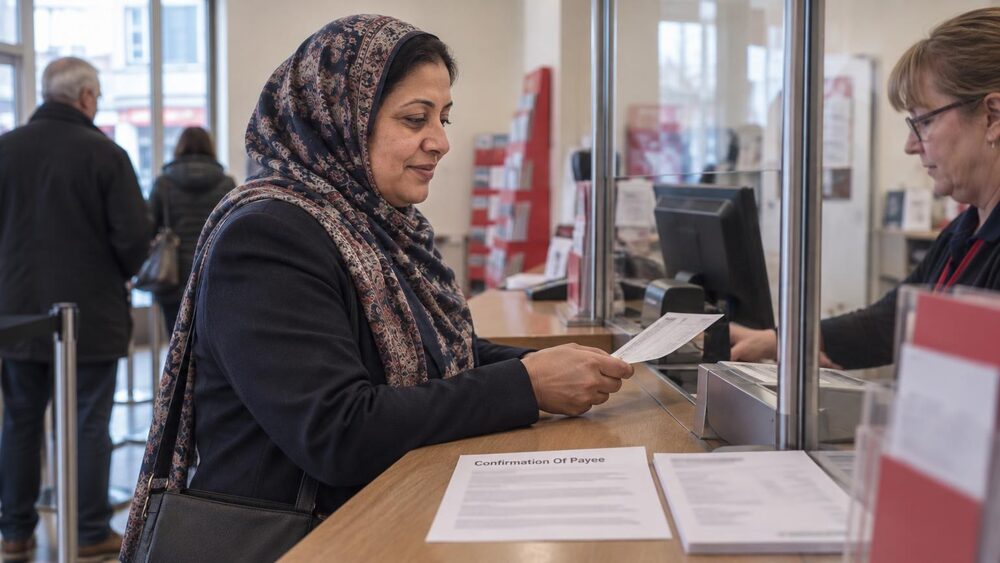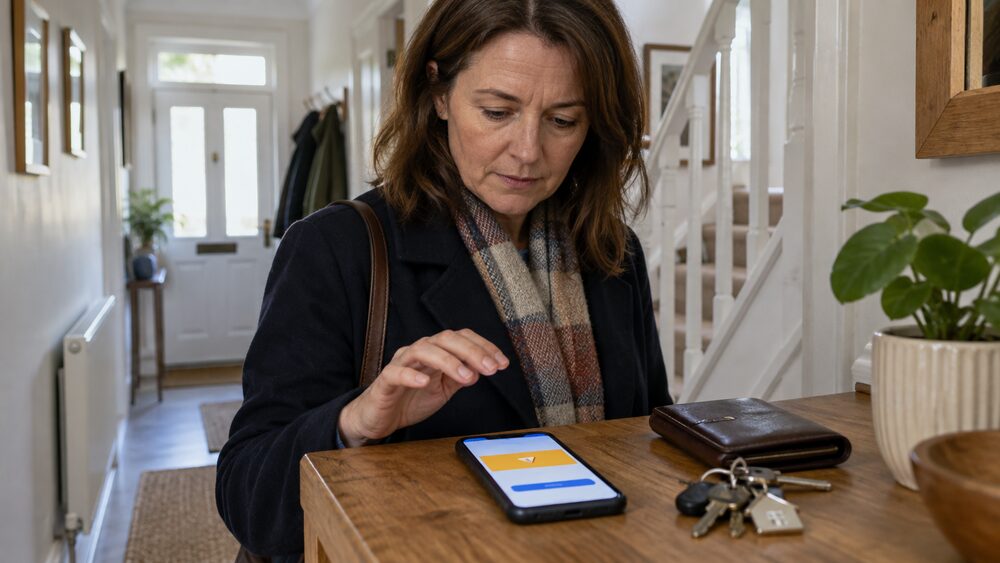
When you set up a new payee in your banking app or online banking, your bank runs a check on the name you have typed in. Confirmation of Payee is the service behind that check. Banks use it to see whether the name and account type you enter, for example a personal or business account, match the details registered with the bank that holds the account you are paying1. The Payment Systems Regulator (PSR), which oversees the service, describes it as "a service that aims to prevent certain types of scams and misdirected payments from happening"2.
The service has been running since 2020, and it is now used at enormous scale: there are more than one million Confirmation of Payee requests every day3. Most UK banks take part4, and the check happens in the seconds between you pressing "pay" and the money leaving your account. If the name does not match, you get a warning and a choice: correct the details, go ahead anyway, or cancel the payment.
This page explains what the check covers, what each result means, how to get the name right, where the check does and does not apply, and what to do if money still ends up in the wrong hands.
What Confirmation of Payee is and why banks check names
Before Confirmation of Payee, a bank transfer in the UK worked on numbers alone. If the sort code and account number were valid, the money went through, regardless of who the account belonged to. That meant a single mistyped digit could send money to a stranger, and a scammer who had convinced you to pay "your bank's fraud team" or "a solicitor" could give you an account name that supported the story while the account itself belonged to someone else entirely.
Confirmation of Payee closes that gap by adding the name to the details that get verified. The PSR explains that it works "by checking whether the name of the account that a payer is sending money to matches the name they have entered, with alerts notifying the payer when there has not been a match"8. In other words, the bank on the receiving end tells your bank whether the name you typed in matches the name it holds on its own records, and your bank passes that answer back to you before the payment is made.
The service exists for two reasons. The first is misdirection: payments sent to the wrong account by mistake, which are hard to recover once they have landed. The second is fraud, specifically what are called authorised push payment (APP) scams, where a victim is tricked into making a payment themselves. The PSR calls Confirmation of Payee "one important tool for preventing these scams"9. A scammer can still give you the correct name for an account they control, so the check is not foolproof, but it removes one of the easiest tricks: passing off one account as another by relying on the fact that names were never checked.
The service is coordinated through Pay.UK, which runs the UK's retail payment systems, and its technical standards were agreed in work coordinated by Pay.UK before implementation by banks and other payment service providers9. The PSR has since used its legal powers to direct firms to join, and coverage has grown steadily, a point covered later on this page.
How the check works: name, sort code, account number and account type
A Confirmation of Payee check is triggered when you set up a new payee or enter account details for a one-off payment. What you provide is the same set of details you have always needed for a bank transfer, plus one thing that used to be optional: the full name on the account. A participating bank can check "the name, sort code, account number, plus, if applicable, secondary reference data such as a building society roll number, and type of account"5. The account type matters because a personal account and a business account can be registered differently even at the same branch.
The flow, from your side, looks like this:
Your bank sends the request to the payment service provider that holds the destination account. That provider compares the name you entered with the name registered to that account and sends back one of three answers: match, close match, or no match6. Your bank then shows you the result and, depending on what it says, may ask you to confirm or correct the name before the payment can proceed.
Two things are worth knowing about what the check does not do. It does not confirm that the person you intend to pay is who they say they are; it only confirms that the name matches the account. And it does not reveal anything about the account's balance. Under the payment services regulations, a provider responding to a confirmation request "must not" include a statement of the account balance or block funds on the payer's account as a result of it10. The exchange is limited to the match result itself.
If you want more background on the details themselves, see sort codes and account numbers and bank transfers: Faster Payments, Bacs and CHAPS.
Match, close match or no match: what each result means
The PSR describes the three outcomes plainly: "Alerts notify the payer whether there has been a match, a close match, or no match, meaning corrections can be made before payments are sent"6. Each result calls for a different response from you.
Match. The name you entered matches the name registered to the account. The payment can proceed as normal.
Close match. The name is nearly right but not exact, for example a shortened first name, a missing middle name, or a slightly different form of a business name. Your bank will usually show you the name it expected, or ask you to re-enter it. The right move is to correct the name and let the check run again. A close match is often just a formatting difference, but it can also be a sign that you are paying a different account from the one you think.
No match. The name you entered does not match the account at all. This is the result that matters most, and it is where the warning screens appear.
The important thing about a no match result is what happens if you ignore it. Bank of Scotland's guidance is direct about the consequence: "if we tell you the account name and number don't match but you decide to go ahead with the payment without checking the name, we might not be able to recover your money if it goes to the wrong account"4. The check gives you the warning, but the decision, and the risk, remain yours.
A no match does not always mean fraud. It can mean you have the wrong name for a legitimate payee, or that the account is held by a business whose registered name differs from its trading name. The response in every case is the same: stop, find out the correct name from the person or business you are paying through a channel you trust, and only then send the money.
Getting the name right for a person, a business or a joint account
Because the check compares names exactly, the name you type in has to be the name the receiving bank holds. The rules differ slightly depending on who you are paying.
Paying a person. Bank of Scotland's guidance is to "use their first or main name and last name"4. The same guidance is blunt about nicknames: "you'll now always need to use the correct full account name (like you would on a cheque), so you won't be able to use nicknames or other words anymore"4. So "Mum", "Dave S" or a name taken from a text message will not match, even if the account is genuinely theirs.
Paying a business. Use "the business name or trading name registered to their account"4. This is a common trap, because a business's bank account may be registered under a legal or trading name that differs from the name on its shopfront, website or invoices. As one provider's guidance puts it, "For businesses you will need the name on their bank account as this may not be the same as their trading name"5. If a business gives you payment details, ask them for the exact account name as well.
A caveat on bank cards. The name printed on someone's bank card is not a reliable source. "Your name may not be the same as the name on your bank card"5, because cards can carry shortened or preferred names while the account is registered with a full name. If in doubt, ask the payee for the name registered to their account.
Joint accounts. A joint account is registered in the names of all its holders, so the name that matches is the account name, not the name of whichever holder you happen to be dealing with. For more on how joint accounts work, see joint bank accounts.
In short, the details you need before paying anyone new are: "someone's full first name and last name, their sort code and account number and whether it is a personal or business account"5.
Payments covered: Faster Payments, CHAPS and standing orders
Confirmation of Payee applies to payments made through the UK's faster payment systems. The Faster Payments Scheme (FPS) is behind almost-instant payments, including standing orders7, and the PSR's directions for the service cover "Faster Payments and CHAPS transactions"9. CHAPS is the system used for large, same-day transfers, most commonly house purchases.
In practice this means:
- Faster Payments: app and online banking transfers between UK accounts, which usually arrive within seconds, and standing orders set up to run through FPS7
- CHAPS: high-value same-day transfers, typically used for property purchases and other large payments9
- Payments between UK accounts: the PSR's reimbursement protections for APP scams cover "everyone making a payment via Faster Payments or CHAPS from one UK bank account to another"11
Coverage has grown over time. When the PSR consulted on requiring reimbursement for APP scams, it noted the change would "see coverage of this service from around 90% of transactions to almost all payments made by FPS and CHAPS"12. The extension came through Specific Direction 17, titled "Expanding Confirmation of Payee", under which the PSR directed more payment service providers to join the service3.
Standing orders deserve a specific mention because they are set up once and then repeat automatically. The name check runs when you create the standing order, so getting the name right at that point protects every future payment in the series. If the receiving account details change, you will need to set the payee up again, and the check will run again then.
For the mechanics of these payment systems themselves, see Direct Debits and standing orders.
Where Confirmation of Payee does not apply
The check has limits, and knowing them matters as much as knowing when it works.
Banks that do not take part. Most UK banks use the service4, but not all payment providers do. If you try to pay an account held by one that does not, your own bank will tell you: "we'll let you know that we can't check the account name. You can then decide if you want to go ahead with the payment or not"4. In that situation you are back to trusting the account details alone, so extra care is warranted for large or unfamiliar payments.
International payments. Confirmation of Payee works through UK payment systems. Payments in euros or other currencies go through different arrangements that do not run this name check, so you will not receive a match, close match or no match result for them. The same applies to payments routed outside Faster Payments and CHAPS.
Linked or nominated accounts. Where an account is associated with a "linked" or "nominated" recipient account, the PSR decided to require only the "response" capability, not the "send" capability, meaning such accounts can answer checks but are not required to initiate them13.
Business customers and negotiated terms. The payment services regulations allow a payment service provider and a business customer that is not a consumer, micro-enterprise or charity to agree that certain protections do not apply between them14. This does not remove Confirmation of Payee itself, but it is a reminder that the full set of consumer payment protections is built around personal customers.
Existing payees. The check runs when a payee is first set up. Once you have paid someone, "their details will be stored and you won't need to enter them next time"15, so repeat payments to a saved payee do not trigger a fresh check unless the details change.
An extra safeguard against APP scams, not a guarantee
An authorised push payment scam is one where you are tricked into making a payment yourself, by a fraudster posing as your bank, a seller, a solicitor, an official body or someone in distress. Confirmation of Payee is one of the industry's main defences against these scams, and the PSR describes it as "one important tool for preventing these scams"9. It also helps reduce misdirected payments by checking whether a payee's account details match those held by their payment service provider16.
The evidence on how much difference it makes is encouraging but bounded. When the PSR extended the service to more providers in 2022, it estimated that the extension was likely to reduce APP scam losses by between £5.5 and £9 million per year, based on an assumed reduction of 10 to 17%13. At the time, providers that did not offer Confirmation of Payee accounted for 15 to 30% of relevant APP scams by volume, despite handling less than 10% of Faster Payments transactions by value13. The six largest banking groups accounted for around 80% of relevant APP scam fraud overall13.
But the check has a structural limit: it verifies names, not identities. If a scammer gives you the correct name for an account they control, the check will return a match, and the payment will look entirely legitimate. MoneyHelper's warning is worth keeping in mind whenever you are asked to pay by transfer: "If someone is asking you to pay by bank transfer, it could be a sign that it's a scam"17.
So treat a match result as one piece of evidence, not proof. The protections that matter alongside it are the reimbursement rules for APP scams, which cover payments made via Faster Payments or CHAPS from one UK bank account to another11, and your own habits: verifying any change of payment details by phone on a number you already hold, and being suspicious of urgency. For the wider picture, see scams and fraud.
Opting out of Confirmation of Payee
Confirmation of Payee is on by default for customers of participating banks, and for most people that is exactly what they want: it is a free safety check that costs nothing and warns before money goes astray. There is, however, a route out for particular circumstances.
Surviving Economic Abuse, a charity that supports people experiencing economic abuse, notes that at least one bank's personal customers "can request to opt out of confirmation of payee"18. The context matters: for someone whose abuser has access to their accounts or is tracking their payments, the prompts and stored payee details that come with the service can create a risk of their own. Banks can help in these situations in various ways, and opting out of the name check is one option some offer.
For everyone else, there is no practical reason to switch the check off, and no action needed to keep it on. If you think an opt-out would help in your situation, raise it with your bank directly; the options vary between providers. Related help is covered on banking help after domestic abuse.
If money goes to the wrong account or a scammer
Even with the check in place, payments can still go wrong: you may override a no match warning, a scammer may have given you genuinely matching details, or the receiving bank may not take part in the scheme at all. What you do in the first hours matters.
Speed matters because a quick report gives the banks the best chance of freezing the money before it is moved on. The Financial Ombudsman Service sets out the immediate steps for a scam victim: contact your bank or payment provider immediately, contact the police on 101, report the scam to Action Fraud, and keep records of all contact and correspondence between you and the scammer19.
If the payment was unauthorised, someone took money from your account without your permission, the ombudsman can look at how your bank handled it19. If you were tricked into making the payment yourself, the ombudsman "may be able to help if you're unhappy with how your bank or payment services provider handled a scam where you were tricked into making a payment"20. The two routes are separate, and the ombudsman's questions differ accordingly.
The complaint path, in order:
- Contact your bank or payment provider immediately and report the payment21
- Make a formal complaint to the bank; it has eight weeks to investigate and give you a final response22
- If you are unhappy with the final response, or eight weeks pass without one, take the complaint to the Financial Ombudsman Service, which is free22
- Keep records of everything: the payment details, the check results you were shown, and all correspondence with the scammer and the bank19
One body to rule out early is the PSR itself. It "doesn't handle queries or complaints from consumers about individual payments"23, so a personal dispute over a lost transfer belongs with your bank and then the ombudsman, not the payments regulator. For a payment sent to the wrong account by mistake, see paid money to the wrong person by mistake, and for money taken without permission, see unauthorised payments and your refund rights.
Security of the information shared
A Confirmation of Payee check involves your bank sending a name and account details to another bank and receiving an answer back, so it is fair to ask what is exposed. The exchange is narrow by design. Providers use secure technology to exchange the check requests5, and the answer that comes back is limited to the match result: match, close match or no match.
The regulations reinforce this. A provider responding to a confirmation request must not include a statement of the account balance, and must not block funds on the payer's account as a result of the request10. So the check cannot be used to probe how much money someone has, and it cannot freeze or restrict an account as a side effect.
What the check does mean is that the payee details you enter are processed by your bank and the receiving bank together. Once you have paid someone, those details are stored so you do not need to re-enter them15, which is convenient but also a reason to keep your banking login secure. For how banks secure app and online access generally, see mobile banking apps and online banking.
Sources23 cited
- How do I get money back that I've sent to the wrong account? Which?, 2026
- Confirmation of Payee: response to the first consultation and draft specific direction Payment Systems Regulator
- PS22/3: Extending Confirmation of Payee coverage Payment Systems Regulator
- Name checks on payments Bank of Scotland
- Confirmation of Payee FAQ Arab Bank Europe
- Confirmation of Payee Payment Systems Regulator
- When you make a payment Payment Systems Regulator
- CP18/4: Consultation on general directions for the implementation of Confirmation of Payee Payment Systems Regulator
- CP21/6: Confirmation of Payee Phase 2 call for views Payment Systems Regulator
- The Payment Services Regulations 2017, Part 7 legislation.gov.uk, 2017
- APP scams and reimbursement Payment Systems Regulator
- CP22/4: APP scams, requiring reimbursement Payment Systems Regulator
- PS22/3 Extending CoP coverage, October 2022 Payment Systems Regulator, 2022
- The Payment Services Regulations 2017, Part 7 (data view) legislation.gov.uk, 2017
- Online money transfers Age UK
- CP26/2: Specific Direction 17, Confirmation of Payee Payment Systems Regulator
- Shop safely online MoneyHelper
- How banks can help Surviving Economic Abuse, 2023
- Scams involving unauthorised payments and identity theft Financial Ombudsman Service
- Scams where you've been tricked into making a payment Financial Ombudsman Service
- If you've fallen victim to a scam Payment Systems Regulator
- Joint accounts MoneyHelper
- How we help you Payment Systems Regulator






 MoneyHelperFree, impartial money and pensions guidance, set up by government
 FSCSProtects your money if a bank, insurer or investment firm fails
 Financial Ombudsman ServiceFree, independent help when a complaint about a firm is not put right
 Citizens AdviceFree advice on money, consumer and legal problems in England and Wales