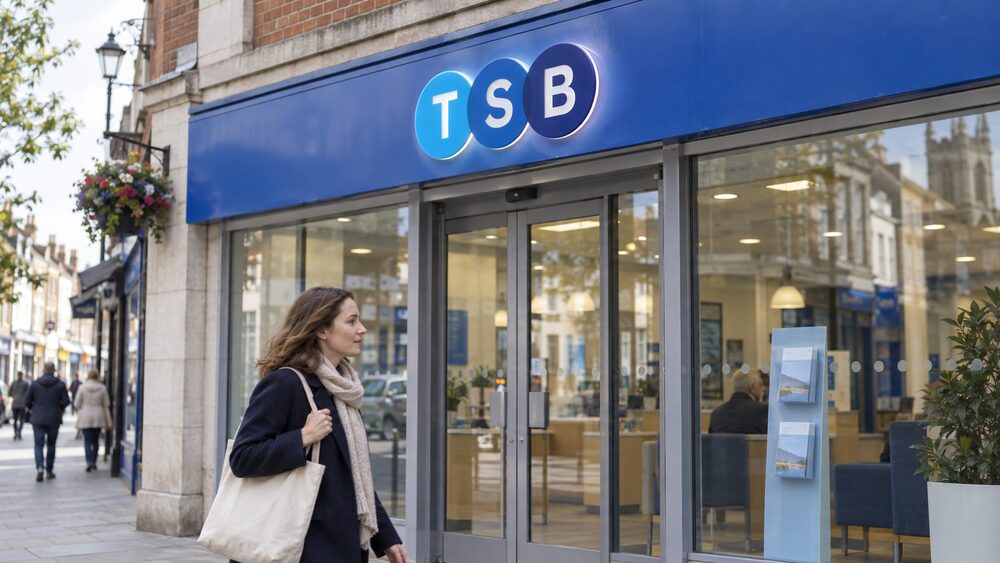
TSB eSavings is an instant access savings account you open and run online or in the TSB app. It is for TSB current account holders, it lets you take money out whenever you like, and TSB states there is no maximum limit on the amount you can hold in it1. Interest is calculated each day and paid once a year, on the anniversary of opening the account1.
Because it is an instant access account, the trade-off is the usual one: easy withdrawals, and a variable rate that TSB can change. TSB's own pages carry today's rate, so check there for the current figure rather than relying on anything written elsewhere. What this page covers is how the account works, who can open one, how the interest is worked out and paid, what happens when the rate moves, and how your money is protected.
The account sits alongside TSB's other savings options, which include the Easy Saver, a Monthly Saver for regular deposits, fixed rate bonds and cash ISAs. If you are weighing up whether an easy access account is the right shape for your money at all, our guide to easy access savings accounts sets out how they compare with accounts that restrict withdrawals.
What TSB eSavings offers
eSavings is a straightforward home for money you want to be able to reach. TSB describes it as an instant access account, and confirms that withdrawals are allowed1. There is no notice period to serve and no fixed term to wait out, which is what separates it from TSB's fixed rate products.
TSB's wider savings range shows where eSavings sits. The bank offers instant access accounts, fixed rates, cash ISAs and children's accounts, and it sets out the eligibility rules for each2. Its fixed rate bonds lock money away for a set term, and its cash ISAs carry the tax advantages that ordinary savings accounts do not. eSavings is the flexible end of that range: money in, money out, with the rate set by TSB and changeable.
One feature worth knowing about if you also hold a TSB current account is Savings Pots, which let you split money into separate named pots inside your banking app. Those are a different product with their own rules: Savings Pots are available only if you have a Spend & Save or Spend & Save Plus bank account, and TSB lists them separately from eSavings3. The app also carries Save the Pennies, which rounds up spending into savings4.
If you want a savings account you can open without holding a TSB current account, the Easy Saver is the closer match: TSB lists online and branch as the ways to open it5. eSavings is built around existing TSB current account customers.
Who can open a TSB eSavings account
The central condition is that you hold a TSB current account. TSB describes eSavings as being for a TSB current account holder1. That is a narrower entry point than most of the bank's savings range, where TSB says you need to be 16 or over and a UK resident to open most savings accounts, with Savings Pots and TSB ISAs the exceptions2.
For TSB current accounts themselves, the bank states you must be 18 or over and a UK resident to apply6. So in practice the route into eSavings runs through adult current account eligibility first.
A few other points shape who can hold one:
- Age and residency. TSB's general savings rule is 16 or over and UK resident for most accounts, excluding Savings Pots and TSB ISAs2. For children under 16, TSB directs you to its specific children's pages7.
- Joint names. TSB states that eSavings accounts can be held in sole or joint names1. For a TSB joint account, both applicants need to have a TSB current account or savings account8.
- Children's accounts. TSB's Young Saver is opened by an adult for a child under 16, and the adult must be 18 or over, a UK resident and a TSB current account holder9. That is a separate product from eSavings.
If you are opening a savings account for the first time, our guide to how to open a savings account covers the identification you will typically be asked for.
How interest is worked out and paid
TSB states that interest on eSavings is calculated each day and paid once a year, on the anniversary of opening the account1. That is a different rhythm from several other TSB savings products, and the difference matters if you are used to seeing interest land monthly.
Across the TSB range the payment frequencies vary:
| Account | How interest is calculated and paid |
|---|---|
| TSB eSavings | Calculated each day, paid once a year on the account anniversary1 |
| TSB Savings Pots | Calculated each day, paid monthly3 |
| TSB instant access savings accounts generally | Calculated daily, paid monthly, quarterly or annually depending on the account type10 |
| TSB Cash ISA Saver | Calculated each day, paid once a year on 31 March11 |
| TSB Junior Cash ISA | Calculated each day, paid once a year on 31 March12 |
The practical effect of annual payment is that the balance you see during the year does not tick up month by month. The interest is being worked out daily and building up, but it arrives in one go on the anniversary. If you close the account partway through a year, ask TSB how the accrued interest is handled, because the account terms govern that rather than the general description.
On tax, TSB says interest on eSavings is paid gross, without tax being taken off1. Gross does not mean tax-free. The interest is taxable and counts towards your Personal Savings Allowance, so if your total savings interest across all accounts goes above your allowance, there may be tax to pay. Our guide to how tax on savings interest works explains the allowance and how it interacts with your income. Cash ISAs are the alternative for anyone whose interest is approaching that threshold, because interest on a cash ISA is not taxed13.
Bonus rates and renewing the account
Some savings accounts pay a boosted rate for an introductory period and then drop to a lower one. TSB's Savings Pots work that way: TSB publishes the rates you receive once your bonus has ended, for accounts opened from 7 December 202514. That structure is worth understanding because it is common across the market, and it is the reason a headline rate on a savings account is not always the rate you will earn a year later.
For eSavings, the account is a variable rate account rather than a fixed term one, so there is no maturity date and nothing to renew. The rate you earn is the rate TSB is paying at the time, and it can move. Our guide to bonus rates and savings promotions explains how introductory bonuses typically work and what to check when one ends.
If you want a rate that is fixed for a set period instead, TSB's fixed rate products work differently: the bank publishes fixed rate bond terms and states the rates and information as at a given date15. Fixed rates remove the uncertainty about the rate but also remove access, which is the opposite trade-off from eSavings.
Instant access: withdrawals and closing the account
Instant access means what it says. TSB confirms that withdrawals from eSavings are allowed, and describes the account as instant access1. The Consumer Council for Northern Ireland describes the category in the same terms: instant access accounts pay interest and you can withdraw money whenever you need to16.
That flexibility is the main reason people hold an account like this rather than a fixed rate one. It is also why the rate tends to be lower than a fixed rate product over the same period: you are paying for access with a variable rate rather than a guaranteed one.
A few practical points:
- Closing the account. TSB states you can close your account without charge within 30 days17.
- Small balances. TSB says it may not contact you about certain changes if you have £100 or less in your account17. Keeping your address and contact details current avoids missing anything.
- Data sharing. If you have connected eSavings to an app through Open Banking, TSB explains that you can log into Internet Banking, go to your account tools, click manage your account data sharing and stop sharing, and your data will be instantly withdrawn18.
- Dormant accounts. Money in a savings account remains yours even if the account is not used. If you have lost track of an old account, the usual route is to contact the provider with identification.
When TSB changes the rate
eSavings is a variable rate account, so TSB can change the interest rate. The rules on notice differ depending on which way the rate moves, and TSB's own documents set out both sides.
For rate increases, TSB's Cash ISA Saver terms state that if the rate goes up, details of the change are made available in branch, on the phone and on the website within 3 days of the change11. For rate decreases, the same document states that customers are told personally 14 days in advance11. The two statements sit alongside each other and it is not resolved how they apply to eSavings specifically, so treat the notice you receive with your own account terms as the definitive position.
More broadly, TSB states that the bank tracks the Bank of England base rate19, and that some of its rates are linked to the base rate and change when it changes19. Its business savings products are not directly linked to the base rate, but TSB says it normally reviews them following a change17. For variable mortgage rates, TSB says changes are made because there has been a change to its cost of lending, or it knows one is about to happen20.
The practical upshot for a saver is that the rate on eSavings is not fixed and not guaranteed. Our guide to when a savings provider changes your rate covers what providers must tell you and when, and the guide to how the Bank of England base rate affects savings explains why variable rates move.
Opening and managing eSavings in the app, online or by phone
TSB lists the app and online as the ways to open eSavings, and the app, online and phone as the ways to manage it1. It is built as a digital account rather than a branch one.
For comparison, TSB's Easy Saver can be applied for online, in branch, or over a video call by booking an appointment in advance5. If you need to switch a savings account rather than open a new one, TSB asks you to contact the branch for savings switches, while ISA switches are available online21.
Once open, the TSB Mobile Banking App is the main tool. TSB says the app protects all your data using advanced security measures, including strong encryption, and runs security checks when the app is opened22. The app also lets you pay in cheques, freeze or unfreeze your card, get a replacement card, change your marketing preferences and switch to TSB4. TSB says you can use the app to get help with queries 24/723.
If you need to speak to someone, TSB's savings contact number from the UK is 0345 975 8758, and from outside the UK it is 020 3284 157524.
FSCS protection for your savings at TSB
Money in TSB savings accounts is covered by the Financial Services Compensation Scheme. TSB states that the scheme protects up to £120,000 of eligible money at TSB1. The same figure appears across TSB's savings and current account pages, including its Cash account and Junior Cash ISA25.
Two points follow from that:
If you hold a joint eSavings account, the limit applies to each holder separately, which is why the combined figure is higher. Our guide to FSCS cover on joint savings accounts sets out how that works in practice.
Problems and complaints
If something goes wrong with an eSavings account, the first step is TSB itself. The bank's app offers help with queries 24/723, and the savings phone line is 0345 975 8758 from the UK24. TSB also publishes support for customers dealing with coerced debt, which covers situations where someone is being pressured over money23.
If you are not satisfied with TSB's response, you can take the complaint to the Financial Ombudsman Service, which is free and independent. Complaints about savings accounts generally need to go to the provider first before the ombudsman will look at them.
Two other protections are worth knowing about:
- Cooling off. Savings accounts normally come with a cancellation period. TSB states you can close your account without charge within 30 days17. Our guide to cooling-off periods on savings accounts explains how these work.
- Money sent to the wrong account. If a payment goes astray, there is a process for getting it back. Our guide to getting money back that you have sent to the wrong account covers the steps.
If you are managing an account for someone else, TSB states that a property and financial affairs lasting power of attorney is needed to manage a TSB account, and that the full document, two forms of identification and, for LPAs, an access code are required26. Where there are more than two attorneys, TSB asks for a branch appointment26.
Sources26 cited
- TSB eSavings account TSB, 2026-03-01
- TSB savings accounts TSB, 2026
- TSB Savings Pots TSB, 2026
- TSB mobile banking TSB, 2026
- TSB Easy Saver account TSB, 2026-03-01
- TSB current accounts TSB, 2026
- TSB Save the Pennies TSB, 2026
- TSB joint accounts TSB, 2026
- TSB Young Saver TSB, 2026-03-01
- TSB instant access savings TSB, 2026
- TSB Cash ISA Saver TSB, 2026-04-06
- TSB Junior Cash ISA TSB, 2026
- Are ISAs still worthwhile Which?, 2026-04-06
- Savings Pots rates and charges TSB, 2026
- TSB fixed bonds TSB, 2026-08-12
- Savings accounts Consumer Council for Northern Ireland, 2026
- Bank of England base rate changes TSB, 2026
- What is Open Banking TSB, 2026
- TSB mortgage guides TSB, 2026
- TSB variable mortgage rates TSB, 2026
- Switching your bank account TSB, 2026
- Mobile app security TSB, 2026
- Coerced debt TSB, 2026
- How do I get money back that I've sent to the wrong account Which?, 2026-07-30
- TSB Cash account TSB, 2026
- Power of attorney in England and Wales TSB, 2026









 MoneyHelperFree, impartial money and pensions guidance, set up by government
 FSCSProtects your money if a bank, insurer or investment firm fails
 Financial Ombudsman ServiceFree, independent help when a complaint about a firm is not put right
 Citizens AdviceFree advice on money, consumer and legal problems in England and Wales
 GOV.UKOfficial information on tax, benefits and government services