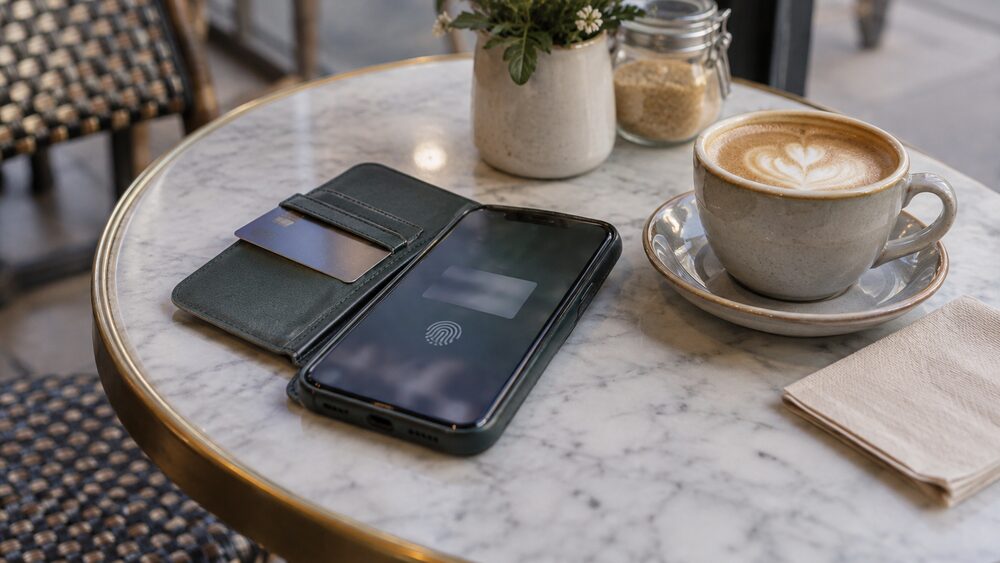
Adding a credit card to Apple Pay, Google Pay or Samsung Pay turns your phone or smartwatch into a way to spend on that card, with the same fraud protection and the same legal rights as tapping the plastic card itself. Nearly all UK banks, building societies, credit card companies and prepaid card providers now support both Apple Pay and Google Wallet1. Contactless card payments in shops are usually capped at £100 per transaction without a PIN, but payments made through a phone wallet have never been bound by that cap in the same way, and from March 2026 the Financial Conduct Authority removed the £100 limit altogether, leaving banks and payment providers to set their own1.
The way a wallet works is simple: you add your card once, and afterwards you pay by holding your phone near the card reader and confirming with your face, fingerprint or passcode. The shop never sees your actual card number, because the wallet replaces it with a separate token held on your device1. The purchase then appears on your credit card statement like any other, which matters because the protections that come with a credit card, including Section 75, follow the card account rather than the piece of plastic2.
What a digital wallet does with your credit card
A digital wallet is an app on your phone, watch or other device that stores your payment details so you can pay without carrying the card. Apple Pay is a digital wallet that lets you pay for goods by moving your iPhone over a contactless reader, removing the need for the physical card1. Google Pay and Samsung Pay do the same job on Android devices and Samsung devices respectively, and HSBC customers can add an HSBC card to any of the three6. Mobile wallet services linked to a debit or credit card, such as Apple Pay and Google Pay, have become a standard payment choice at the checkout7.
The important thing to understand is that the wallet does not open a new line of credit or create a separate account. It is a front door to your existing credit card: when you tap your phone, the money is spent on the card, the purchase appears on your card statement, and you repay it as part of your normal credit card bill. Everything in the guide to how credit cards work still applies, including how interest is charged if you do not clear the balance.
There are practical advantages beyond convenience. Using a digital wallet such as Apple Pay, Google Pay, PayPal or Samsung Pay keeps your card details private, because the shop receives a token rather than your card number8. That reduces the risk of your card details being copied or leaked in a data breach, one of the reasons some card issuers have also introduced numberless cards, which print no card number on the plastic at all9.
Which phones, watches and cards work with each wallet
Each wallet is tied to its maker's devices. Apple Pay works on the iPhone, iPad, Apple Watch and Mac, though for some devices it may only be more recent versions10. first direct describes paying with a swipe of your iPhone, iPad or Apple Watch11, and Ulster Bank lets its debit and credit cards be registered into the Wallet app on iPhone, iPad, Mac and Apple Watch4. Google Pay runs on Android phones, and you use the Google Pay app to make payments with your phone11. Samsung Pay runs on Samsung devices through its own app12.
On the card side, coverage in the UK is broad. Nearly all banks, building societies, credit card companies and prepaid card providers support both Apple Pay and Google Wallet1. Individual issuers confirm the same: HSBC supports all three major wallets6, Virgin Money supports Apple Pay including for additional cardholders, who can add their card in Apple Wallet themselves13, and Cumberland cardholders can pay with their cards through Apple Pay14. Contactless itself is available on debit, credit, charge and pre-paid cards15.
If your card is issued by a smaller bank or building society and you are not sure, the quickest check is to open the wallet app and try to add the card. If the issuer is not supported, the app will tell you during the add process. Where a wallet is not an option, the contactless feature on the physical card works in the same shops.
Adding a credit card to Apple Pay, Google Pay or Samsung Pay
The setup process is similar across the three wallets, and usually takes a few minutes per card.
For Apple Pay on an iPhone, open the pre-installed Wallet app and add the payment cards you want to use on your device; you can use your phone's camera to capture the card details quickly1. On an iPad, go to "Wallet & Apple Pay" under Settings and tap "Add Credit or Debit Card"12. Many banks also let you add the card from their own app: Royal Bank of Scotland customers tap on their current account or credit card in the app depending which card they wish to set up16, and M&S Bank customers log on to the M&S Bank app, tap "Cards", select the card and tap "Add to Apple Wallet"17.
For Google Pay, download the Google Pay app from the Play Store or check whether it is already installed, click "+ Payment method", and add your credit or debit card by taking a photo or entering your details manually12.
For Samsung Pay, open the Samsung Pay app, which can be downloaded from the Google Apps Store if it is not already there, click "Add", then "Add credit or debit card"12.
During setup, your card issuer will normally verify the card, sometimes with a text code or a call to its own app. Once the card is added, it stays in the wallet until you remove it. If the card is later replaced, for example because it expires, Virgin Money states that for credit cards the new details are updated in Apple Wallet on the same day, so you can continue using the card on your device13.
Where you can pay: shops, apps, websites and TfL
Wallets work anywhere the shop has a contactless terminal. Apple Pay and Google Wallet work on the Transport for London (TfL) network and at any shop that accepts contactless payments, including major retailers such as Boots, M&S, the Post Office, Starbucks and Waitrose1. Ulster Bank describes the same range: in store, in apps, on websites and even on Transport for London4.
Paying in an app or on a website works slightly differently from tapping in a shop. When you are paying in an app, the retailer will only receive the information they need to fulfil your order, and any information retained by Apple Pay is anonymous4. This is the same idea behind services such as Click to Pay, which store your card with the card network so that online checkouts can be completed without typing the number in each time. The convenience is real, but so is the caution: online shopping scams are common, and using a digital wallet is one way of keeping your card details private at an unfamiliar checkout8.
On TfL, Apple Pay works like a contactless card: you touch in and out, and the fares are charged to your credit card account. Santander's terms note that wallet payments work at any contactless terminal, in-app and on the web, with certain retailer limits possibly applying18.
Contactless limits: from £30 to no set national cap
The contactless limit on a physical card is the most misunderstood part of paying by phone, so it is worth going through the history. The limit on debit and credit cards sat well below today's level for years, and the card transaction limit was £45 in 202019. The FCA's consumer research records the increase to £45 in March 202020. The Treasury then confirmed the limit would rise to £100, and from 15 October 2021 the contactless card payment limit increased to £10021. Contactless is a way to pay by card for purchases costing £100 and under without entering a PIN15.
Payments through a phone or watch have always behaved differently. Apple Pay and Google Wallet users have always been able to exceed the card limit, where the retailer allows it1. Ulster Bank and others state that if you use Apple Pay or Google Pay you can make contactless payments even when the amount is over £100, though retailer limits may apply22, and Barclays describes contactless payments without the £100 limit23. AIB notes that while contactless payments on a physical debit card are subject to a £100 threshold per transaction, Apple Pay behaves differently24.
Two catches sit behind "no limit". First, the retailer decides what it accepts: Apple Pay and Google Wallet users have always been able to exceed the card limit only where the retailer allows it3. Some banks and building societies are offering to remove the current maximum limit of £100 to an unlimited spending amount, but that depends on your provider and on the shop's terminal supporting it26. Second, the card itself still matters: the payment runs on your debit or credit card account, so the card network involved, such as Visa, Mastercard or American Express, and your own bank's terms govern what goes through. In practice, whether a large payment works at a particular terminal depends on the retailer and your card provider, not on a single national rule.
From March 2026 the rules changed again: the FCA removed the £100 contactless limit, letting banks and payment providers set their own limits1. Which? has reported on what the end of the £100 cap means for fraud protection27. If a payment is above whatever limit applies, UK Finance states that it will default to a chip and PIN payment for the card, or, if available, payment via mobile phone3.
Setting your own limit or switching contactless off
Not everyone wants unlimited tap-and-go. Some banks and building societies are offering to remove the current maximum limit of £100 to an unlimited spending amount, and you may be able to ask your bank or building society to do the opposite: to reduce the unlimited payment option on your card, fix your own limit, or remove the contactless payment option from your card altogether26. Consumer Scotland's response to the FCA's engagement on contactless limits notes that several payment service providers enable customers to set individual contactless limits, including disabling the contactless payment functionality28.
This is worth knowing for two reasons. The first is fraud: a lower limit caps what a thief can spend before a PIN is demanded. The second is spending control. Money and mental health advice services suggest that if impulsive spending is a problem, you can remove contactless payment options from your phone or card and, if possible, buy things in cash rather than using a card29. Contactless is designed to remove friction, and that friction is exactly what some people want back.
Be aware that switching a card off in one place does not always switch it off everywhere. Which? has reported that freezing a debit card in your banking app will not block all payments, for example recurring charges taken with the card details30, and separately that replacing a bank card might not stop scammers who already hold the details from spending your money31. If you have given your card details to a fraudster, cancelling the card and reporting it is the right step, but check your statements for anything taken in the meantime.
Tokens, Face ID and passcodes: how wallet payments are secured
Wallet payments are built on a technique called tokenisation. Apple replaces your card's details with something called a device account number, also called a token, which means the real information is never shared during purchases1. When you add a card, its details are encrypted and stored only on your iPhone, not on Apple's servers1. Ulster Bank describes the same method: Apple Pay utilises a security method called tokenisation, which avoids the need to share a card number, ensuring your card details stay secure4. Barclays puts it plainly: your card details will not be stored on your Apple device or sent to merchants, so your information stays private and secure23.
The second layer is authentication. Phone passcodes and fingerprint-recognition (Touch ID) or facial-recognition (Face ID) technology add another layer of security, and on Apple Watch, wrist detection must be enabled1. The Post Office notes that your device will use your fingerprint with Touch ID or facial recognition with Face ID, and both are highly secure10. Biometric login is now used across banking, not just wallets: Which? has reported on how banks let customers log into accounts with biometrics32.
The same security features apply across the major wallets. Every contactless payment, whether made with a plastic card or a phone, generates a unique, one-time security code that protects your payment information15, and when you tap on the terminal it creates a one-time-only electronic signature and cryptogram, technology that keeps your details secure and stops you being accidentally charged twice25. A wallet adds a further layer on top: authorising a payment requires unlocking the device, and Apple's guidance confirms you can go to your Apple ID account page or use the Find My app to suspend or permanently remove the ability to pay from that device4. So when people ask "is Google Pay secure?", the answer is that a contactless payment through a wallet carries the same one-time security code as a card payment, plus the device's own lock.
Your credit card's fraud protection still applies
A wallet payment is a card payment, so the card's protections travel with it. Contactless payments offer the same level of fraud protection as standard chip and PIN transactions26. If your card is lost or stolen, you may be protected against fraudulent activity and will not be liable for any losses, unless you have given your card to someone26. Ulster Bank tells customers that, provided they take appropriate care, it offers the same protection against fraud when they use Apple Pay as it does for their Ulster Bank debit and credit cards4. Take Five, the national anti-fraud campaign, states that a lost or stolen card should be reported to the bank immediately33.
The legal protection matters too. Section 75 of the Consumer Credit Act makes the credit card provider jointly liable with the retailer for purchases over £100 and up to £30,000, and this additional protection only applies to credit card purchases, not debit card purchases34. Because a wallet payment is charged to your credit card account, it is a credit card purchase in exactly the same way as tapping or inserting the plastic card. The full detail is in the guide to Section 75 protection, and the comparison of Section 75 and chargeback explains which to use when.
The protection is not unlimited, and the payment method you choose can decide whether you have any at all. Which? has reported that fraud victims who pay the wrong way could be left with nothing: there is no legal safety net when you use a debit card, only weaker schemes such as chargeback or PayPal's Buyer Protection35. StepChange makes the same point about scams: your money is not protected unless you pay by credit card or Direct Debit36. Credit cards can be used to buy goods anywhere, including over the phone, online or by post37, and paying by credit card rather than cash can give you extra protection and the possibility of getting your money back if something goes wrong38. Independent Age likewise notes that you might have more protection if you have paid for something with a credit card39.
If your phone is lost or stolen
Losing the phone is not the same as losing the card, and in some ways it is less serious, because a wallet payment needs your face, fingerprint or passcode. Still, act quickly. If you lost your phone or it was stolen, you could stop payments by logging in to Apple's iCloud or by putting your device into "lost mode" via the Find My app1. Apple's own guidance is that you can go to your Apple ID account page or use the Find My app, which must be enabled beforehand, on an iPhone or iPad to suspend or permanently remove the ability to pay from that device with Apple Pay4. If the card itself is lost or stolen, you may be protected against fraudulent activity and will not be liable for any losses, unless you have given your card to someone26.
Then report it. Take Five advises anyone whose phone is stolen to report it as stolen and freeze their card immediately, or use a friend's or family member's phone to call their bank40. Reporting the card matters even if the phone is locked: AIB tells customers that once a credit card is reported as lost or stolen, the card details will be automatically updated in Apple Wallet and Apple Pay can continue to be used while the new card is sent24. In other words, reporting the card does not necessarily switch off the wallet version of it, so ask your issuer to block the wallet token too if you want everything stopped.
If you are abroad when it happens, the same rules apply, and Take Five's holiday fraud guidance adds the usual care with your PIN: always shield your PIN when entering it41. If you believe a fraudster has your card details rather than your phone, some app-based banks let you generate new payment details within the app and carry on spending as usual9, but replacing the details does not undo transactions already made, so check your statement and dispute anything you did not authorise through your card provider's fraud process, covered in the guide to credit card fraud and unauthorised payments.
Contactless payments in numbers
Contactless has moved from a novelty to the default way Britons pay. Contactless was 3% of all payments in 2015, 27% in 2020 and 39% of all payments in the UK in 2025, and it is expected to be 41% of all payments, accounting for 26 billion payments, by 20355. Contactless debit and credit card payment volumes totalled 19.2 billion in 2025, up from 18.9 billion the previous year5. Of those, 16.2 billion were contactless debit card payments and 3,007 million were contactless credit, charge and purchasing card payments5.
Phones are a growing slice of that. The FCA's Financial Lives survey found that of adults who had made contactless payments in the 12 months to May 2024, 44% had done so by tapping a mobile device linked to a debit card or credit card, up 5 percentage points42. The scale of the change is visible in the spending figures too: UK Finance reported that £80.5 billion was spent using contactless payments in the year before the £45 limit came in, an increase of 16 per cent on the year before3.
What the numbers do not settle is whether all this convenience is good for everyone's finances. Faster payment is neutral if you are spending what you planned, and the mental health and money advice sector suggests removing contactless options precisely because tapping makes parting with money feel less real29. The choice of payment method is yours, and the types of credit card available, from interest-free purchase cards to rewards and cashback cards, work just as well through a wallet as through the plastic.
Where to get help
If something goes wrong with a wallet or contactless payment, the first port of call is your card provider. Report a lost or stolen card or phone immediately33, and dispute any transaction you did not authorise through the provider's fraud process. If the provider will not help, you can complain, and the guide to complaining about a credit card provider sets out the route, ending with the Financial Ombudsman Service.
For scams, Take Five's guidance on card fraud and on stolen mobile phones covers the immediate steps33, and Independent Age sets out what to do if you have been the victim of a scam, including recovering money39. For free, impartial help with debts run up on a card, help with credit card debt lists the free advice charities, with specific pages for debt in Scotland and debt in Northern Ireland. MoneyHelper, StepChange and National Debtline all offer free advice, and none of them will charge you for it.
Sources42 cited
- What is Apple Pay? Which?, 2026-03-05
- Consumer Credit Act Which?, 2025-06-18
- Contactless limit change FAQs UK Finance, 2021-10-15
- How to set up Apple Pay Ulster Bank, 2026-09-25
- Payment Markets Report 2026 Summary UK Finance, 2026-08
- What is a digital wallet? HSBC UK, 2026
- UK cash and cash machines 2025 UK Finance, 2025
- How to spot an online shopping scam Which?, 2026-08-03
- What are numberless cards and could they help stop fraud? Which?, 2022-07-26
- Apple Pay on the Travel Money Card Post Office, 2026
- Ways to bank first direct, 2026
- How to make it easy to pay on the go Danske Bank, 2026-09-25
- Apple Pay Virgin Money, 2026
- Mobile pay with Apple Cumberland Building Society, 2026
- Payment methods factsheet Building Societies Association, 2023-01-10
- How to set up Apple Pay Royal Bank of Scotland, 2026-09-25
- Apple Pay digital wallet M&S Bank, 2026
- Fitbit Pay terms and conditions Santander, 2026-09-25
- Coronavirus: what it means for mortgages, savings, borrowing and benefits Which?, 2020-04-01
- UK's cash infrastructure consumer research Financial Conduct Authority, 2020
- Budget 2021: what you need to know Which?, 2021-03-03
- Ways to pay Ulster Bank, 2026-09-25
- Apple Pay digital services Barclays, 2026
- Apple Pay FAQs AIB (NI), 2026
- The limit on Apple Pay at Tesco and high street retailers Which?, 2018-12-14
- Safer ways to pay Consumer Council for Northern Ireland, 2026
- Contactless £100 cap ending: how to protect yourself from fraud Which?, 2026-07-03
- Response to FCA engagement paper on contactless payment limits Consumer Scotland, 2025-05-09
- Managing mental health and money Mental Health and Money Advice, 2023-07-24
- The fault in our cards: how freezing your debit card won't block all payments Which?, 2019-10-10
- Why replacing your bank card might not stop scammers from spending your money Which?, 2026-07-03
- Biometric banking: how to log into your bank account with your eyes Which?, 2017-09-03
- Card fraud Take Five, 2026-09-26
- Consumer Credit Act Which?, 2025-06-18
- Fraud victims who pay the wrong way could be left with nothing Which?, 2024-10-16
- How to spot, avoid and report scams StepChange Debt Charity, 2026-09-25
- Plastic cards Citizens Advice, 2026-09-25
- Maintaining your home Independent Age, 2026-09-26
- What to do if you've been a victim of a scam Independent Age, 2026-09-26
- Stolen mobile phone Take Five, 2026-09-26
- Holiday fraud Take Five, 2026-09-26
- Financial Lives Survey 2024: payments Financial Conduct Authority, 2024-05


 MoneyHelperFree, impartial money and pensions guidance, set up by government
 StepChangeFree debt advice and solutions from a charity
 National DebtlineFree debt advice by phone, webchat and online
 Financial Ombudsman ServiceFree, independent help when a complaint about a firm is not put right
 Citizens AdviceFree advice on money, consumer and legal problems in England and Wales