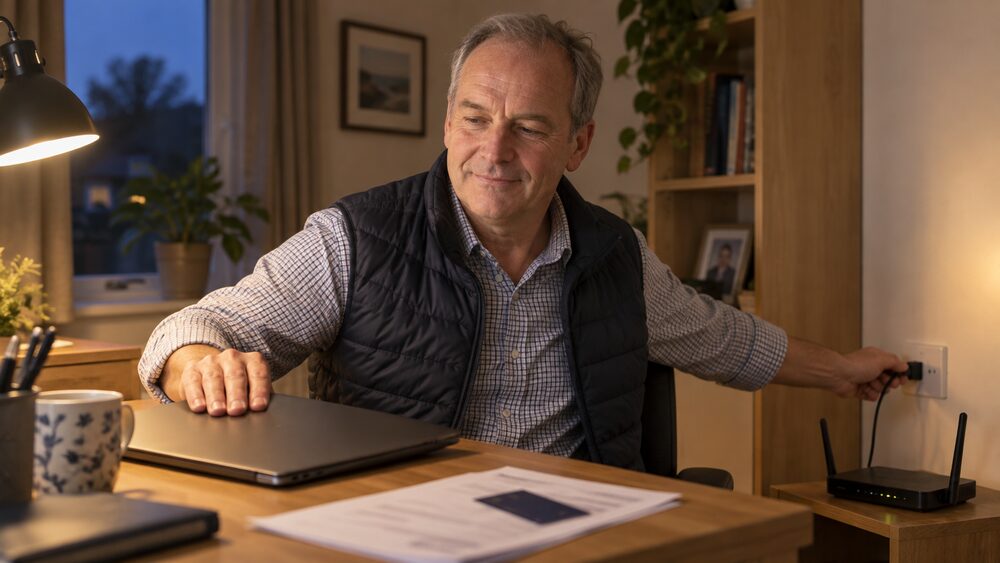
No. No genuine bank, IT security company or internet provider will ask to take control of your computer, tablet or phone, and no genuine organisation will ask you to install software that lets a caller do it. Remote access fraud usually starts with an unexpected call, email, chat message or pop-up claiming to be from your bank, an IT security company or your internet provider, and the caller talks you through giving them access to your device1.
No. No genuine bank, IT security company or internet provider will ask to take control of your computer, tablet or phone, and no genuine organisation will ask you to install software that lets a caller do it. Remote access fraud usually starts with an unexpected call, email, chat message or pop-up claiming to be from your bank, an IT security company or your internet provider, and the caller talks you through giving them access to your device1.
Once they have that access they can see what is on your computer and, in some cases, take it over. The aim is your personal information, your banking details, or both. Some callers go further and talk you into moving money out of your account, often by claiming it is at risk and must be moved to a "safe account"2.
The rule is simple and it does not have exceptions: never give a stranger remote access to your computer, and never let someone who called you out of the blue gain access to your phone3.
What a remote access scam looks like
Remote access fraud often begins with a fraudster contacting you online through a chat or pop-up message, by email or by phone, claiming to be from your bank, an IT security company or your internet provider, and advising you to give them remote access to your computer, tablet or phone10. The story varies. Criminals claim to be providing support from an internet service provider, for example, and convince you to download programs to your computer, giving them control of the device2. Others impersonate trusted individuals such as IT staff or customer support to build trust before asking for access11.
The methods are consistent: scammers ask you to visit a website, download software or follow their instructions1. Remote access tools and screen viewing software are ordinary applications, but fraudsters use them to gain full control of a device remotely or to view sensitive content on it over the internet11.
What they are after is your personal information, and often your bank account12. Some remote access scams are the opening move in an investment scam: never give remote access to your computer or personal device to set up an investment or to be guided through a loan application, because a genuine organisation will never ask you to do this13. Others are the opening move in a payment scam, where the caller stays on the line while you log in and move money.
Warning signs: urgency, secrecy and requests to download software
The warning signs of a scam are well documented and they cluster around a few behaviours. Common ones include inaccurate spelling and wording, a sense of urgency to act quickly, being asked for bank details or passwords and being told not to tell anyone, and an unfamiliar email address14. Take Five lists unexpected contact, pressure to act quickly, requests for personal or security information, offers that seem too good to be true, and payment details that suddenly change15.
Urgency is the thread that runs through most of them. Scammers rush you into decisions by claiming the money is for something urgent16. Energy scams follow the same pattern: contacting you without you asking, pressuring you to act quickly, saying offers are "about to expire", asking for bank details, passwords or PINs, requesting payment to access a grant, refusing to give information in writing, and telling you not to check with anyone else17. Crypto fraud uses aggressive or unrealistic approaches, incentives to buy before a specific deadline, and minimum order levels18.
For remote access specifically, the giveaway is the request itself. Scam calls come from people who ask you to download software, and if you do it gives them control of your computer or device19. Secrecy is the second giveaway: being told not to tell anyone, or not to check with your bank, is a sign the caller knows the story will not survive a second opinion.
Spoofed numbers: why a caller ID proves nothing
The number on your phone is not evidence. Phone spoofing is the deliberate falsification of caller ID information to disguise the true origin of a call20. The name or number displayed on your phone can be faked by criminals, and this is called spoofing6. Scammers often use number spoofing, where the caller ID appears genuine, to make the call seem more trustworthy5. Scammers can mimic an official telephone number, which can trick you into thinking the caller is from a legitimate organisation such as a bank or utility company21.
The practical consequence is that a call showing your bank's real number, or the number of a government department, proves nothing at all. Caller ID can be falsified and should not be relied on as proof of identity22. The same applies to text messages: replying, calling the number or clicking links lets scammers know your number is in use and may lead to more scam messages and calls, and the number has likely been spoofed, so you may be messaging an innocent person whose number was stolen23.
If you want to check whether a call is genuine, do it on a channel the caller does not control. Call 159 if your bank is signed up to the 159 service, and wait at least 15 minutes before calling back, or use another phone24. When you call 159 you are put through to your bank's genuine customer service line25. If you are worried about your account security, contact your bank directly using the number on your card or by calling 1595. For the police, dial 10126.
Will my bank ever ask me to install software?
No. Banks are explicit about this. Zempler Bank says it will never ask you to download any software to gain remote access, describing it as an increasingly common scam where fraudsters try to trick you27. HBL Bank UK says it will never ask for remote access to your device or send you a link to make a payment28.
The wider list of things a bank will never do is worth knowing, because it covers most of the scripts these callers use. Your bank should never ask for your PIN or internet banking password, send someone to your home to collect cards or banking information, ask you to email or text personal or banking information, email a link where you input internet banking details, ask you to authorise an unrequested funds transfer, tell you to invest in diamonds, land or other commodities, ask you to carry out a test transaction, or send you to a mobile app other than their own official app23.
Your bank or the police will never ask for your PIN or password, or ask you to transfer funds for fraud reasons29. You will never be asked for your bank details by text, social media, email or via links to click within a text or email30.
What is a 'safe account' and why is it always a scam?
A "safe account" is a story, not a product. Scammers pose as your bank, the police or other trustworthy organisations to convince you to send your money to them, often claiming the money is at risk and must move urgently to a "safe account"31. There is no account of that kind held by a bank, a police force or a regulator, and no genuine organisation will ask you to move money into one5.
The reason the story works is that it turns a payment into something that feels like protection. The caller has usually already established trust, sometimes by having you install remote access software so they can "check" your account, sometimes by spoofing a number you recognise. The request that follows is always the same: move the money, quickly, and do not discuss it.
The same logic applies to your details. Never give anyone your personal, payment or online account details, especially if the contact was an unsolicited call1. And never give a stranger remote access to your computer in the first place4.
Why would a scammer ask me for a one-time passcode?
Because the code authorises a payment. Fraudsters call pretending to be your bank, or another company you trust, and say they will send a one-time passcode to confirm your identity. In reality they are trying to use your card details to make a fraudulent payment, and they know the bank will send you a code to check whether it is genuine. When you share the code with them, they use it to authorise the payment32.
A one-time passcode you did not request is itself a warning sign33. If a code arrives when you are not making a payment, someone else is trying to use your details. The code is the last line of defence, and reading it out hands that defence over.
Already let someone in? What to do and how to report it
Act quickly and in this order. If you have given someone remote access and realise it is a scam, hang up immediately and turn your computer and Wi-Fi off7. Then report it to your bank immediately7.
The Financial Ombudsman Service sets out the wider steps for scam victims: contact your bank or payment services provider immediately, contact the police on 101, report the scam to Report Fraud, and keep records of all contact and correspondence between you and the scammer34. Reporting to Report Fraud, formerly known as Action Fraud, gives you a crime reference number35.
If the scam involved someone at your door, call 101 to report the scammers, or call 999 if you feel unsafe5. Doorstep scams can also be reported to Report Fraud by phone or through their website, and to Citizens Advice, which passes reports to Trading Standards; call 999 in an emergency or 101 if you are not in immediate danger36.
Getting your money back under the APP fraud reimbursement rules
If you were tricked into sending money by bank transfer, the authorised push payment (APP) reimbursement rules may apply. The Payment Systems Regulator requires payment firms to reimburse all in-scope customers who fall victim to APP fraud in most cases8. The rules took effect for payments made on or after 7 October 2024, covering Faster Payments and CHAPS37.
There are limits. The maximum cap is £85,000, and there is a £100 excess9. Some payments are excluded, including where the payment was sent to another account you control38. If the rules apply and you were particularly vulnerable to the specific type of APP scam, your bank or payment service provider must reimburse you39. All financial institutions must refund customers who have been the victim of financial fraud through authorised push payments40.
Where a bank refuses, the Financial Ombudsman Service can look at the complaint, and it can consider whether you were particularly vulnerable to that type of scam39. The ombudsman service is free and independent. MoneyHelper offers free, impartial guidance on scams and what to do about them5, and National Debtline publishes guidance on dealing with fraud24.
Sources40 cited
- Remote access fraud Metro Bank
- Banking fraud Take Five
- Impersonation fraud Take Five
- Computer takeover scams first direct
- Types of scam MoneyHelper
- Courier fraud Take Five
- Remote access fraud Barclays
- Fighting authorised push payment fraud: a new reimbursement requirement Payment Systems Regulator
- APP scams reimbursement dashboard Payment Systems Regulator
- Fraud awareness and keeping safe online Gatehouse Bank
- Different ways criminals contact victims Arbuthnot Latham
- Types of scams Leeds Building Society
- Latest scams Tesco Bank
- Scams: what to look for FSCS
- Protect yourself Take Five
- WhatsApp impersonation Ulster Bank
- Protect yourself from energy scams Cruse Bereavement Support
- Crypto fraud Take Five
- Scam calls Halifax
- Guidance on HMCTS related suspicious phone calls, emails and text messages GOV.UK
- Phone scams Age UK
- Scam alert: remote access and copycat website scams Weatherbys Bank
- How to spot a messaging scam Which?
- Dealing with fraud National Debtline
- Phone scams Which?
- AI scams Age UK
- Keeping money secure Zempler Bank
- Fraud and scams HBL Bank UK
- How to avoid a scam Independent Age
- Check your state pension forecast nidirect
- Latest scams Barclays
- Email, text and phone fraud Barclays
- Digital wallet fraud Take Five
- Scams involving unauthorised payments and identity theft Financial Ombudsman Service
- What to do if your bank won't refund you after a scam Which?
- Doorstep scams Age UK
- How to stop, avoid and report scams Consumer Council
- Scams you've been tricked into making a payment to Financial Ombudsman Service
- Authorised push payment scam first direct
- PS23/4 APP scams policy statement Payment Systems Regulator



 FCA Warning ListCheck whether a firm is authorised before you deal with it
 Financial Ombudsman ServiceFree, independent help when a complaint about a firm is not put right
 Citizens AdviceFree advice on money, consumer and legal problems in England and Wales
 MoneyHelperFree, impartial money and pensions guidance, set up by government