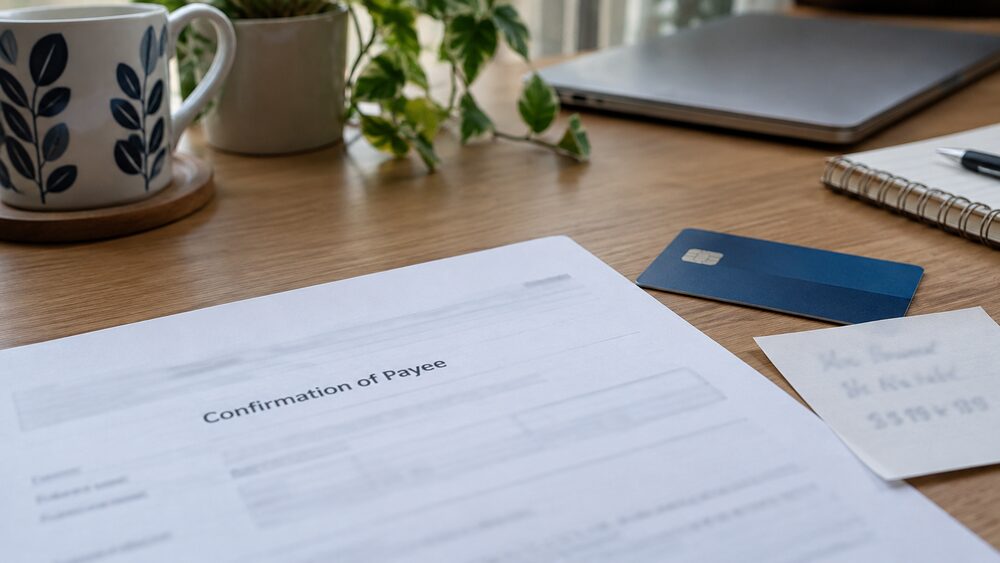
Confirmation of Payee is the name check that runs when you set up a new payee or send a bank transfer. Your bank asks the receiving bank whether the name you typed matches the name on the account, and comes back with one of a small set of answers: a match, a close match, no match, or a message saying the check could not be carried out1.
Confirmation of Payee is the name check that runs when you set up a new payee or send a bank transfer. Your bank asks the receiving bank whether the name you typed matches the name on the account, and comes back with one of a small set of answers: a match, a close match, no match, or a message saying the check could not be carried out1.
A no match does not stop the payment. Banks let you go ahead, but the warning is there because the money may not be recoverable if it lands in the wrong account3. The check is designed to prevent certain scams and misdirected payments, and it has been part of UK banking since 20204.
What follows is what each result means, what to check when the name does not match, which payments the service does not cover, and where the protection stops.
How Confirmation of Payee checks a name before you pay
The service works by checking whether the name of the account a payer is sending money to matches the name they have entered, with alerts notifying the payer when there has not been a match2. It sits inside your banking app or online banking, at the point where you add a payee or confirm a payment, so the answer arrives before the money moves.
The check compares more than the name. Banks use the service to check whether the name and account type, personal or business, that you enter when setting up a new payee matches the details registered with the bank receiving the money5. The details in play are the name on the account, the account number, the sort code, the account type and the reference3. You always need the correct full account name, so nicknames or other informal versions will not do3.
The receiving bank does the comparing, against its own records. That is why the answer can surprise you even when you are sure the details are right: what matters is not what the payee told you, but what their bank holds.
The service is run across the industry rather than by one bank. The technical standards were agreed in work coordinated by Pay.UK and made ready for implementation by banks and other payment service providers11. The rules that brought it in came from the Payment Systems Regulator, which describes it as one important tool for preventing authorised push payment scams11.
Match, close match or no match: what each result tells you
Banks describe the outcomes in slightly different words, but they mean the same things. The regulator's own summary is that alerts notify the payer whether there has been a match, a close match, or no match, meaning corrections can be made before the payment is sent1. Some banks add a fourth answer for the case where no check was possible at all6.
| Result | What it means | What it tells you |
|---|---|---|
| Match | The details you provided match exactly9 | The name, account number, sort code and account type line up |
| Close match | The name on the account is not an exact match, perhaps an abbreviated name or a spelling mistake6 | You may be paying the right person under a slightly different name |
| No match | The payee's name details do not match the name on the account6 | Something is wrong: a wrong digit, a wrong name, or a wrong account |
| Unable to check | The check could not be completed12 | No name confirmation either way |
A close match is the one people misread. It is not a soft version of a match, and it is not a warning that something is wrong. It usually means the name is close but not identical, which is common with shortened first names, middle names left out, or a business trading under a different name from the one it is registered with6.
A no match is firmer. It means the name you entered does not match the name on the account at the receiving bank6. That can be an innocent slip, or it can be the moment a scam is interrupted.
The details you need to enter: names, account type and business accounts
Most no match results come from the details rather than from fraud, and the details are easy to get wrong.
- Use the full name as the bank holds it. Full first name and surname, exactly as it appears on the account, plus the account type, personal or business4.
- Do not use a nickname or a shortened form. The name on the account is what counts, so nicknames and other informal versions will not match3.
- Get the account type right. The check compares the type you select with the type held, so marking a business account as personal can produce a mismatch5.
- Watch joint accounts. A joint account may be held in one name, so paying it using the other holder's name can fail the check.
- Business names are the usual culprit. A business is checked against its registered name, which is often not the name above the door or on the website.
If you are the one being paid, the same rules apply in reverse. To receive a payment cleanly, the payer needs your full first name and surname exactly as it appears on your account, and your account type4.
What to do next when the name does not match
A no match is a prompt to stop and verify, not a block. The guidance banks give is blunt: the details do not match, and it is important to stop and verify the information9.
- Do not pay yet. Leave the payment unconfirmed while you check.
- Contact the person or business using details you already had. Use a phone number from a statement, a contract or a previous message, never one supplied in the message or invoice that prompted this payment. If the request to pay arrived by email or text, treat a changed account number as a warning sign in itself.
- Check the name, not just the numbers. Ask the payee to confirm the exact name their account is held in, including whether it is a personal or business account.
- Re-enter the details and run the check again. A corrected name or account type often turns a no match into a match.
- If it still does not match, decide with the risk in front of you. You can still make the payment, but if the account name and number do not match and you go ahead without checking, the bank may not be able to recover your money if it goes to the wrong account3. The payment could go to the wrong account and the bank may not be able to get it back13.
If you have already sent money to the wrong account, tell your bank straight away. Speed matters, because a payment that has not yet been collected can sometimes be recalled. There is a step-by-step route in paid a fraudster? What to do straight away, and if the money went to a scammer rather than simply the wrong account, the rules on refunds are set out in authorised push payment reimbursement.
Payments and providers the check does not cover
Confirmation of Payee is not available for all types of payments, such as international transfers8. If you are sending money overseas, the name check you rely on at home does not apply, and the receiving bank may not be part of any equivalent scheme. Some banks run a similar check for SEPA payments within Europe, but that is a separate arrangement14.
BACS payments, including direct debits, are not included15. The rules also leave out bulk payment file submission, unattended payments, and any payments processed when the customer is not present16.
Coverage has widened over time. When the regulator extended the rules, it said the provision of checks was then provided by over 50 payment service providers, accounting for over 90% of Faster Payments transactions, and that prioritising the next group would increase coverage from 92% of Faster Payments transactions to 99% after October 202316. The deadline for the second group of firms to introduce the checks was 31 October 202410.
If you try to set up a payment to an account with a bank that does not use Confirmation of Payee, your bank will tell you it cannot check the account name, and you can then decide whether to go ahead4. That is different from a no match: nobody has told you the details are wrong, only that nobody could confirm them.
Why the check sometimes cannot be carried out
An "unable to check" or "unavailable" message is the one people find most confusing, because it looks like a failure rather than an answer. It is not a warning about the payee.
The reasons banks give are practical. The payee's bank may not be part of the Confirmation of Payee scheme yet, the account type may be unsupported, or there may be a technical issue12. The account holder may have opted out of the service, or the bank may not be enrolled13. The account details entered may not exist, or the payee may have opted out17. Your payee's account may simply be a type that cannot be checked at all3.
What it means for you is that you have no name confirmation to lean on. The payment is not blocked, and there is no suggestion the payee is dishonest, but the safety net that would have caught a wrong digit is not there. In that situation the sensible checks are the ones that do not depend on the bank: confirm the account details by voice with someone you already know, and be wary of any payment request that arrived unexpectedly.
Will Confirmation of Payee stop me being scammed?
It helps, and it is one of the more useful tools available, but it is not a guarantee. The regulator describes it as a service that aims to prevent certain types of scams and misdirected payments from happening18, and as the name checking service designed to help prevent authorised push payment scams and misdirected payments19.
The limit is in what it checks. It confirms that a name matches an account. It does not confirm that the person asking for money is who they say they are, that the reason for the payment is genuine, or that the account is not a money mule's. A fraudster who holds an account in their own real name will pass a match, and the check will tell you nothing is wrong.
That is why a match should be treated as one good sign rather than proof. The wider warning signs, the ones that catch the scams a name check cannot, are set out in how to spot a scam. If a payment does go wrong, the refund rules for bank transfer scams are explained in claiming a refund from your bank, and where a bank refuses, taking a refused scam refund to the Financial Ombudsman sets out the next step.
Sources19 cited
- Confirmation of Payee Payment Systems Regulator, 2026-09-26
- CP19/4 Confirmation of Payee: response to the first consultation Payment Systems Regulator, 2026-09-26
- Name checks Lloyds Bank, 2026-09-27
- Name checks Bank of Scotland, 2026-09-27
- How do I get money back that I've sent to the wrong account Which?, 2026-07-30
- Confirmation of Payee service Cambridge Building Society, 2026-09-26
- Confirmation of Payee Danske Bank, 2026-09-25
- Confirmation of Payee information BBVA UK, 2026-09-25
- Confirmation of Payee Zempler Bank, 2026-09-26
- PS23/4 APP scams policy statement Payment Systems Regulator, 2023-12
- CP18/4 General directions for the implementation of Confirmation of Payee Payment Systems Regulator, 2026-09-26
- Confirmation of Payee Nationwide Building Society, 2026
- Confirmation of Payee Hampden Bank, 2026
- International SEPA payments explained AIB, 2026
- Confirmation of Payee deadline: how will it affect your online banking Which?, 2020-06-30
- PS22/3 Extending CoP coverage Payment Systems Regulator, 2022-10
- Confirmation of Payee Dudley Building Society, 2026-09-26
- RP21/1 Confirmation of Payee Phase 2 consultation response Payment Systems Regulator, 2026-09-26
- CP22/4 APP scams: requiring reimbursement Payment Systems Regulator, 2026-09-26









 FCA Warning ListCheck whether a firm is authorised before you deal with it
 Financial Ombudsman ServiceFree, independent help when a complaint about a firm is not put right
 Citizens AdviceFree advice on money, consumer and legal problems in England and Wales
 MoneyHelperFree, impartial money and pensions guidance, set up by government